My WiFi Kept Dropping During Zoom Classes. Here's How I Got It Stable
Apartment WiFi router keeps disconnecting? Fix placement, overheating, channel crowding, and firmware before you call your internet provider again.
“Almost cried fixing my own house. Learned to read every quote instead.”
Theology · Scripture Cards
Open a scripture card
Already read and shared by 315 people.
 Bread from Heaven
Exodus 16:4
Then Yahweh said to Moses, “Behold, I will rain bread from the sky for you, and the people shall go out and gather a day’s portion every…
Read this card
 Your Faith Has Made You Well
Mark 10:52
Jesus said to him, “Go your way. Your faith has made you well.” Immediately he received his sight and followed Jesus on the way.
Read this card
 Look and Live
Numbers 21:8-9
Yahweh said to Moses, “Make a venomous snake, and set it on a pole. It shall happen that everyone who is bitten, when he sees it, shall…
Read this card
 I Am the Resurrection and the Life
John 11:25-26
Jesus said to her, “I am the resurrection and the life. He who believes in me will still live, even if he dies. Whoever lives and believes…
Read this card
 Twelve Baskets Left Over
John 6:11, 13
Jesus took the loaves, and having given thanks, he distributed to the disciples, and the disciples to those who were sitting down, likewise…
Read this card
 Until He Finds It
Luke 15:4, 6
“Which of you men, if you had one hundred sheep and lost one of them, wouldn’t leave the ninety-nine in the wilderness and go after the one…
Read this card
 Meant for Good
Genesis 50:20
As for you, you meant evil against me, but God meant it for good, to save many people alive, as is happening today.
Read this card
 Enter His Gates with Thanksgiving
Psalm 100:4-5
Enter into his gates with thanksgiving, and into his courts with praise. Give thanks to him, and bless his name. For Yahweh is good. His…
Read this card
Key Takeaways
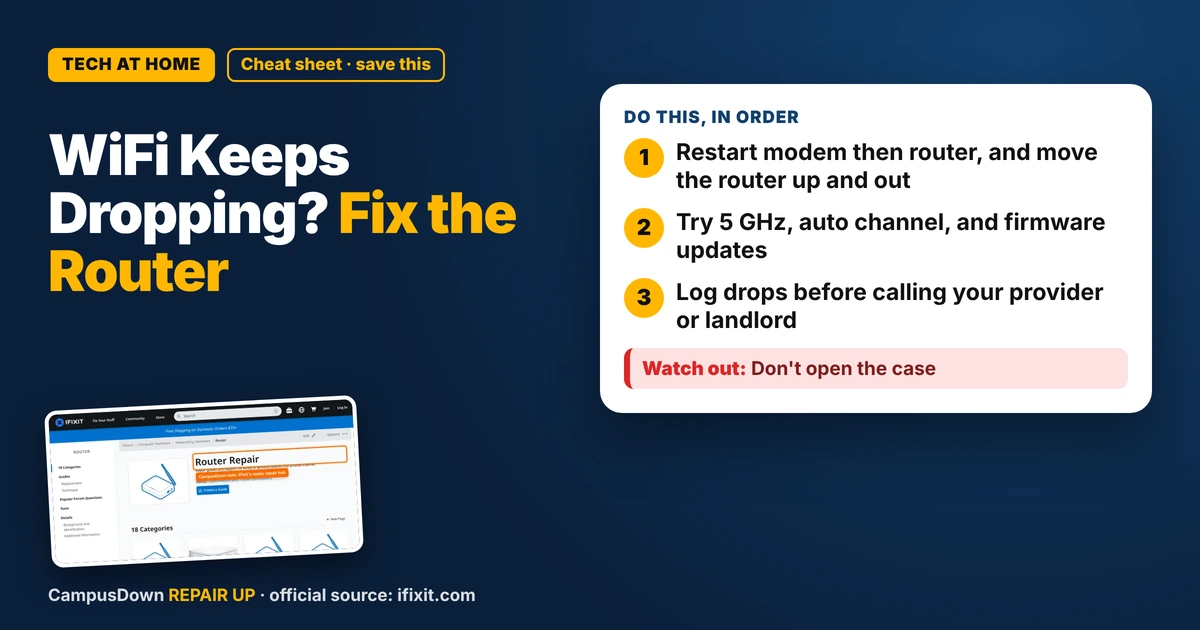
- Restart modem then router, and move the router up and out.
- Try 5 GHz, auto channel, and firmware updates.
- Log drops before calling your provider or landlord.
Nothing kills a presentation like your face freezing mid-sentence. If your apartment WiFi router keeps disconnecting, here's what to check before you spend an hour on hold with your internet provider. Lots of drops come from placement, heat and crowded airwaves, especially in apartment buildings.
Restart the right way
Unplug the router and modem, wait about a minute, plug the modem in first, let it fully connect, then plug the router in. It sounds basic, but restarting clears temporary glitches. If you only have one combined box, just restart that.
Location matters more than you think
- Get it off the floor* and out of the closet. Higher and more central is better.
- Keep it away from* microwaves, metal shelves, fish tanks and thick walls.
- Don't shove it behind* a TV or inside a cabinet.
WiFi is radio waves, and walls, metal and water absorb or bounce them. Think of the Doppler effect class demo: waves behave differently depending on what's around them. Your router needs a clear-ish path.
The iFixit router hub has troubleshooting and repair guides for common routers, including overheating and power issues. It helps to see what's normal before blaming yourself.
Is it overheating?
Routers get warm. If yours is hot to the touch, sitting in a sunny window or stacked under books, heat might be causing drops. Give it airflow. Heat transfer matters for tiny electronics too.
Apartment buildings are crowded
In a building, dozens of routers can be fighting over the same channels. If your router app lets you, try:
- Switching to the 5 GHz band for faster, less crowded signal near the router.
- Letting the router pick the best channel automatically, or trying a different one.
- Updating the router's firmware through its app or admin page.
When it's the provider's problem
If the modem lights show it's losing connection, or every device drops at once even near the router, it may be the line or the provider's equipment. Call them, describe what you tried, and ask if they can check the signal or replace the modem. If your building includes WiFi, report it to the landlord or management in writing.
Keep a little log of when drops happen. A record makes the call way more productive, and it beats confirmation bias where you only remember the worst drop. And don't put off the call forever. That's procrastination, and finals week is the worst time to discover the line was bad all semester.
Found this helpful? Share it with a friend who’s dealing with the same mess.
Pick an app — it just sends the link, nothing else.
Frequently Asked Questions
Why does my apartment WiFi keep disconnecting?
Common causes include poor router placement, overheating, crowded channels, outdated firmware, or provider issues.
How do I restart my router properly?
Unplug the modem and router, wait about a minute, plug in the modem first, then the router.
Is 5 GHz better in an apartment?
Often yes near the router, since it's usually less crowded, though it doesn't travel as far through walls.
When should I call my internet provider?
If the modem keeps losing connection or all devices drop even near the router.