My Apple Watch Sits on the Charger and Does Absolutely Nothing
Apple Watch not charging on the charger? Clean the back and puck, check the cable and adapter, force restart, and know when it is time for real repair help.
“Almost cried fixing my own house. Learned to read every quote instead.”
Theology · Scripture Cards
Open a scripture card
Already read and shared by 315 people.
 A Fourth Walking in the Fire
Daniel 3:25
He answered, “Look, I see four men loose, walking in the middle of the fire, and they are unharmed. The appearance of the fourth is like a…
Read this card
 While He Was Still a Long Way Off
Luke 15:20, 22
“He arose and came to his father. But while he was still far off, his father saw him and was moved with compassion, and ran, fell on his…
Read this card
 The Rainbow Covenant
Genesis 9:13, 16
I set my rainbow in the cloud, and it will be a sign of a covenant between me and the earth. … The rainbow will be in the cloud. I will…
Read this card
 For Such a Time as This
Esther 4:14
For if you remain silent now, then relief and deliverance will come to the Jews from another place, but you and your father’s house will…
Read this card
 Wings like Eagles
Isaiah 40:31
but those who wait for Yahweh will renew their strength. They will mount up with wings like eagles. They will run, and not be weary. They…
Read this card
 Unto Us a Child Is Born
Isaiah 9:6
For a child is born to us. A son is given to us; and the government will be on his shoulders. His name will be called Wonderful Counselor…
Read this card
 Daughter, Your Faith Has Healed You
Mark 5:34
He said to her, “Daughter, your faith has made you well. Go in peace, and be cured of your disease.”
Read this card
 The Lord, He Is God
1 Kings 18:38-39
Then Yahweh’s fire fell and consumed the burnt offering, the wood, the stones, and the dust; and it licked up the water that was in the…
Read this card
Key Takeaways
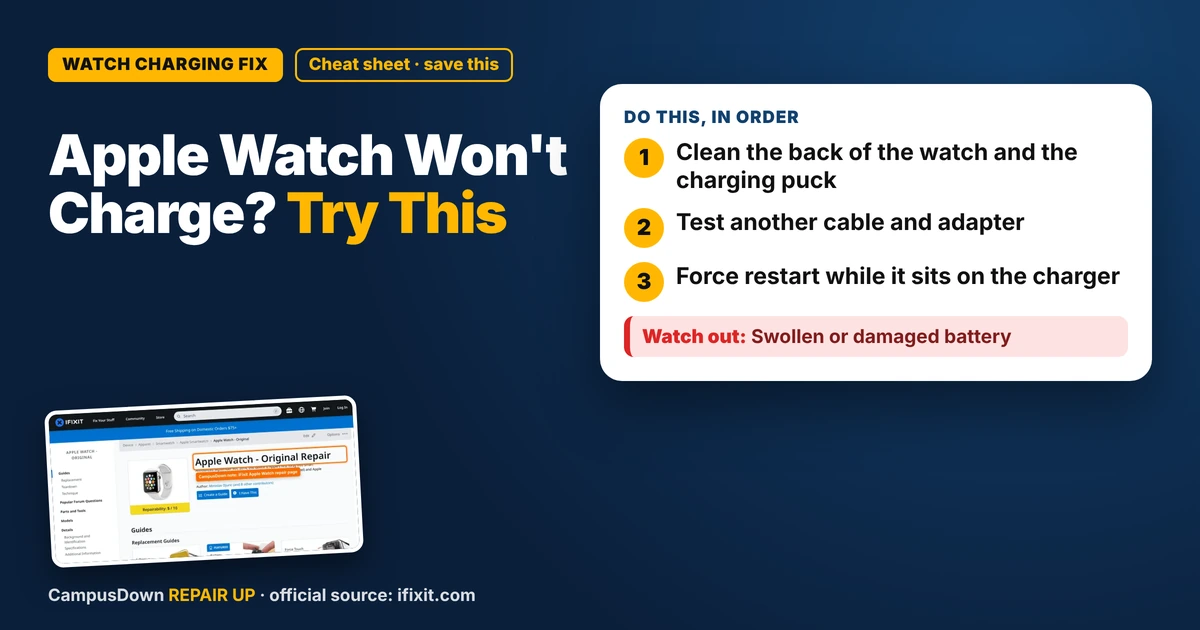
- Clean the back of the watch and the charging puck.
- Test another cable and adapter.
- Force restart while it sits on the charger.
I got my Apple Watch used from a buddy who upgraded, and it's basically the fanciest thing I own. So when I put it on the charger one night and woke up to a dead screen, I felt it in my soul. If your Apple Watch is not charging on the charger, don't jump straight to buying a new one. A lot of the time the problem is dirt, the cable, or a frozen watch.
Step 1: Look for the charging sign
Put the watch on the charger and wait a minute. A dead battery can take a bit before anything shows up. Look for the green lightning bolt or a red one. A red bolt usually just means it needs more time on the charger. If you see nothing at all, keep going.
Step 2: Clean the back and the puck
The magnetic charging puck and the back of the watch need good contact. Sweat, lotion, and dust build up there more than you would think.
- Take the watch off and unplug the charger.
- Wipe the back of the watch and the face of the puck with a soft, lint-free cloth.
- If there is gunk, slightly dampen the cloth with water, then dry everything fully.
- Peel off any plastic film left on the charger from the box. People miss this a lot.
Step 3: Test the cable and the brick
- Try a different power adapter or USB port.
- Look for frays, bends, or a cracked connector on the cable.
- If a friend has an Apple Watch charger, borrow it for a quick test.
- Avoid very cheap knockoff chargers. They may not charge well, or at all.
If a different charger works, you just found your problem, and a cable is way cheaper than a watch.
Step 4: Force restart
Sometimes the watch is frozen, not dead. Holding the side button and the Digital Crown together until the Apple logo shows up is the usual force restart. Check Apple's support page for your model if you're not sure. Do this while it's on the charger, and give it some time afterward.
Step 5: Think about heat and the battery
Watches can stop charging when they get too hot or too cold. Charge it in a normal room, not next to a heater or in a cold car. If the watch is older and the battery drains super fast or the case looks swollen, stop charging it and get help. A swollen battery is not a DIY joke.
iFixit's Apple Watch page has guides and troubleshooting for different Apple Watch generations, which helps if you want to understand what's inside before paying for repair.
Why this feels so bad
Panicking that the watch is totally dead after one failed charge is a little like learned helplessness: one bad result and you stop trying the simple stuff. Feeling like the loss is way bigger than it is? That's loss aversion. And if you start thinking about buying a new band, case, and charger once you fix it, watch out for the Diderot effect.
Quick checklist
- Wait a few minutes on the charger.
- Clean the back of the watch and the puck.
- Remove any plastic film.
- Try another cable and adapter.
- Force restart while charging.
- Charge at room temperature.
- Get help if the battery looks swollen.
Know someone staring at a repair right now? Send this their way.
Pick an app — it just sends the link, nothing else.
Frequently Asked Questions
Why is my Apple Watch not charging?
Common causes are a dirty back or puck, a bad cable or adapter, a frozen watch, or temperature.
How do I clean my Apple Watch charger?
Unplug it and wipe it with a soft, lint-free cloth. Dry it fully before using.
Can a third-party charger stop my Apple Watch from charging?
Some cheap knockoffs may not work well. Try an official or well-rated charger.
What if my Apple Watch still won't charge?
Contact Apple or a trusted repair shop, especially if the battery seems swollen.