My Thrift Store Camera Threw a Lens Error Right Before a Party
Digital camera lens error or a lens stuck halfway? Swap the batteries, clean the barrel gently, try a restart, and learn when a stuck lens needs a repair pro.
“Almost cried fixing my own house. Learned to read every quote instead.”
Theology · Scripture Cards
Open a scripture card
Already read and shared by 315 people.
 Look and Live
Numbers 21:8-9
Yahweh said to Moses, “Make a venomous snake, and set it on a pole. It shall happen that everyone who is bitten, when he sees it, shall…
Read this card
 Wings like Eagles
Isaiah 40:31
but those who wait for Yahweh will renew their strength. They will mount up with wings like eagles. They will run, and not be weary. They…
Read this card
 Be Strong and Courageous
Joshua 1:9
Haven’t I commanded you? Be strong and courageous. Don’t be afraid. Don’t be dismayed, for Yahweh your God is with you wherever you go.”
Read this card
 Enter His Gates with Thanksgiving
Psalm 100:4-5
Enter into his gates with thanksgiving, and into his courts with praise. Give thanks to him, and bless his name. For Yahweh is good. His…
Read this card
 The Lord Is My Shepherd
Psalm 23:1, 4
Yahweh is my shepherd; I shall lack nothing. … Even though I walk through the valley of the shadow of death, I will fear no evil, for you…
Read this card
 I Know That My Redeemer Lives
Job 19:25
But as for me, I know that my Redeemer lives. In the end, he will stand upon the earth.
Read this card
 While He Was Still a Long Way Off
Luke 15:20, 22
“He arose and came to his father. But while he was still far off, his father saw him and was moved with compassion, and ran, fell on his…
Read this card
 The Kingdom Belongs to Such as These
Mark 10:14, 16
But when Jesus saw it, he was moved with indignation and said to them, “Allow the little children to come to me! Don’t forbid them, for…
Read this card
Key Takeaways
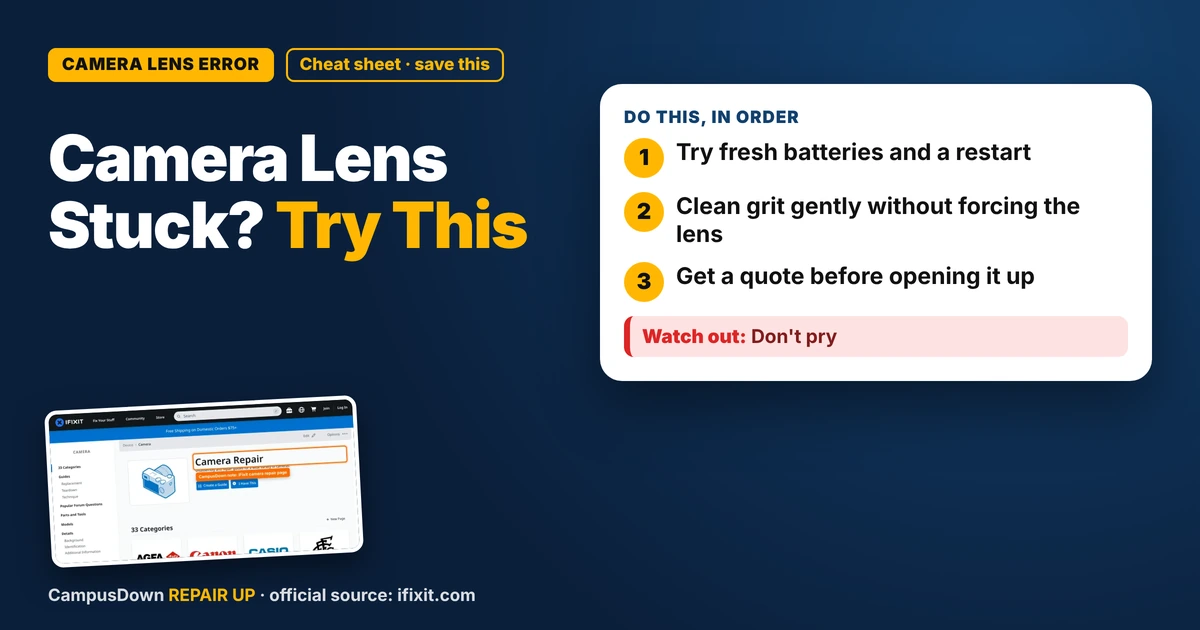
- Try fresh batteries and a restart.
- Clean grit gently without forcing the lens.
- Get a quote before opening it up.
Old digital cameras are lowkey the coolest thing on campus right now. Flash photos with that grainy look, no phone notifications, pure vibes. I grabbed one secondhand, charged it, turned it on, and got hit with "Lens Error" while the lens jammed halfway out. If your digital camera lens error has you stuck, here's what to try before giving up on it.
What a lens error usually means
Point-and-shoot cameras push the lens out with a small motor when they turn on. If something blocks it, like sand, a bump, or a weak battery, the camera can't finish extending and throws an error. Sometimes it's a quick fix, sometimes it's a gear problem inside.
Step 1: Fresh power
Weak batteries are a sneaky cause. The motor needs a burst of power to move the lens.
- Fully charge the battery or use fresh AA batteries if your camera takes them.
- Clean the battery contacts with a dry cloth.
- Turn the camera on again.
Step 2: Restart with the camera pointed down
Remove the battery and memory card, wait a minute, then put them back in and turn it on while the camera points down. Some people find gravity helps a little. It's not magic, but it's free.
Step 3: Clean around the barrel
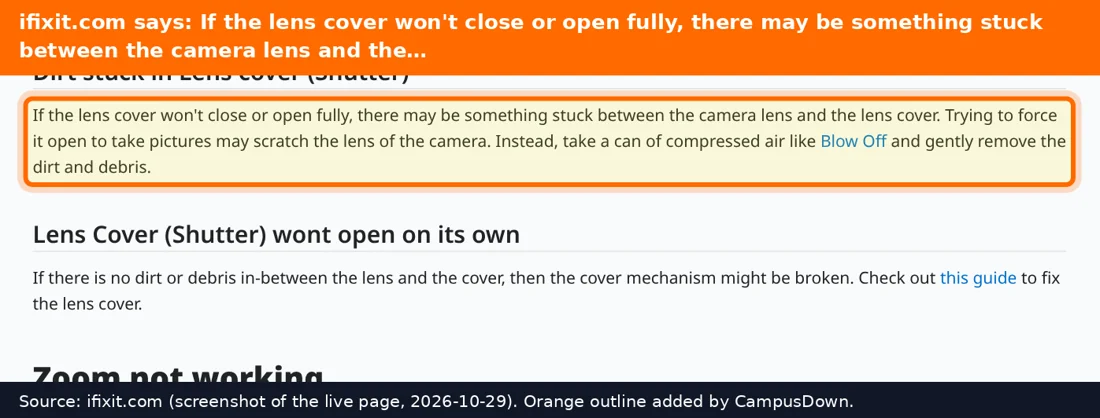
Look closely at the gap between the lens segments. Sand or grit can get in there.
- Use a soft brush or a gentle puff of air to clear debris.
- Don't spray liquids into the gaps.
- Never force the lens in or out with your fingers. That can strip the gears.
When it's not a DIY fix
If the lens still won't move, the gears or the motor may be damaged. iFixit's camera page has teardown guides for many models, but opening a compact camera means tiny screws and ribbon cables. Also, some cameras have a flash capacitor that can hold a charge even when off, so if you're not experienced, leave the inside alone. A local camera repair shop can tell you if it's worth fixing.
Buying a used camera without getting burned
If you're thrifting another one, a few checks in the store save a lot of grief. Bring a charged battery that fits, or ask the seller to power it on. Turn it on and off several times and watch the lens go in and out smoothly. Zoom all the way in and out. Look through the lens for haze, fungus spots, or scratches. Take a test shot with the flash, then check the photo on the screen. Open the battery door and look for crusty corrosion on the contacts. If the seller won't let you test it, assume it might have issues and price it in your head that way. A camera that powers up cleanly in the store is a much safer bet than one sold "as is, untested".
Also think about the memory card. Some older cameras only read older, smaller card types, so check what your model takes before you buy.
Why we love fixing old stuff
There's something about saving a thrifted camera that hits different. It's a bit of the IKEA effect, because effort makes you love the thing more. It's also loss aversion: losing a cool find feels worse than never finding it. Just watch out for the sunk cost trap if you keep pouring money into a camera that's done.
Keep it working
- Carry it in a soft case to keep sand and grit out.
- Turn it off before putting it in a pocket.
- Swap batteries when they get weak.
If this saved you a headache, it might save a friend one too.
Pick an app — it just sends the link, nothing else.
Frequently Asked Questions
Why does my camera say lens error?
The lens couldn't extend or retract, often because of grit, a bump, or weak batteries.
Can I fix a camera lens error myself?
Fresh batteries, a restart, and gently cleaning debris can help. Gear damage usually needs a repair shop.
Should I push the lens back in by hand?
No. Forcing it can break the gears.
Is it worth repairing an old digital camera?
Sometimes, especially if it's a model you love. Ask a shop for a quote first.