I Opened My TV Remote and Found Crusty White Fuzz
Need to clean battery corrosion in a remote or controller? Learn what that white crust is, how to remove it safely with gloves, and when the device is done.
“Almost cried fixing my own house. Learned to read every quote instead.”
Theology · Scripture Cards
Open a scripture card
Already read and shared by 315 people.
 Your God, My God
Ruth 1:16
Ruth said, “Don’t urge me to leave you, and to return from following you, for where you go, I will go; and where you stay, I will stay.…
Read this card
 A Fourth Walking in the Fire
Daniel 3:25
He answered, “Look, I see four men loose, walking in the middle of the fire, and they are unharmed. The appearance of the fourth is like a…
Read this card
 Today a Savior Is Born
Luke 2:10-11
The angel said to them, “Don’t be afraid, for behold, I bring you good news of great joy which will be to all the people. For there is born…
Read this card
 The Lord Will Fight for You
Exodus 14:13-14
Moses said to the people, “Don’t be afraid. Stand still, and see the salvation of Yahweh, which he will work for you today; for you will…
Read this card
 Twelve Baskets Left Over
John 6:11, 13
Jesus took the loaves, and having given thanks, he distributed to the disciples, and the disciples to those who were sitting down, likewise…
Read this card
 Daughter, Your Faith Has Healed You
Mark 5:34
He said to her, “Daughter, your faith has made you well. Go in peace, and be cured of your disease.”
Read this card
 Take Heart, It Is I
Matthew 14:27, 31
But immediately Jesus spoke to them, saying, “Cheer up! It is I! Don’t be afraid.” … Immediately Jesus stretched out his hand, took hold of…
Read this card
 Until He Finds It
Luke 15:4, 6
“Which of you men, if you had one hundred sheep and lost one of them, wouldn’t leave the ninety-nine in the wilderness and go after the one…
Read this card
Key Takeaways
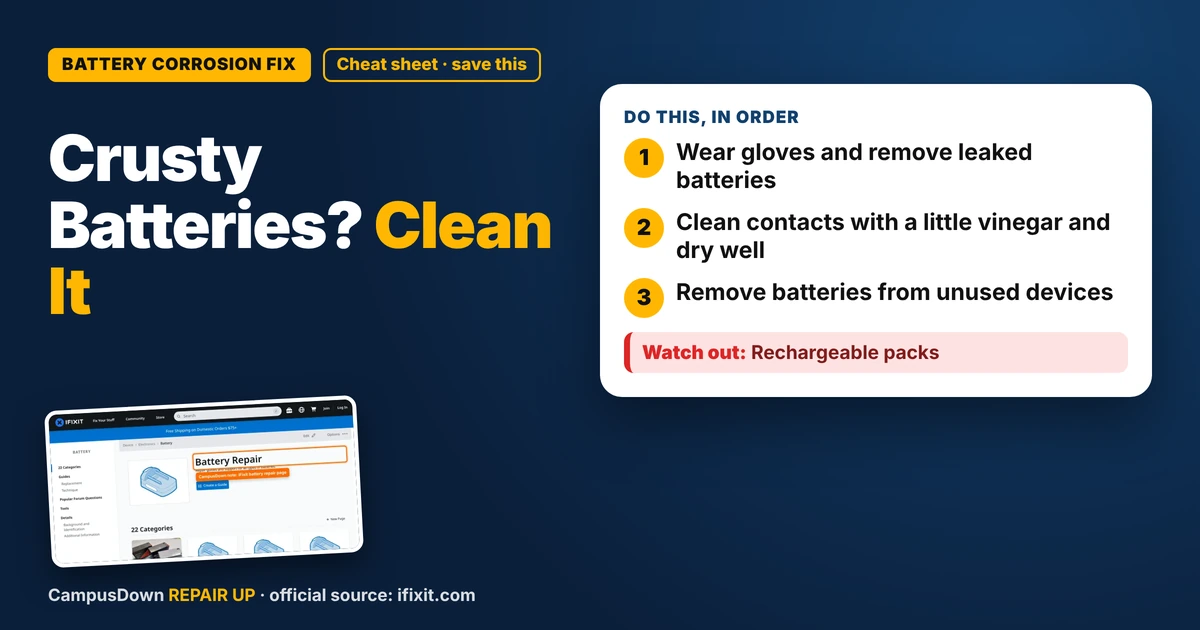
- Wear gloves and remove leaked batteries.
- Clean contacts with a little vinegar and dry well.
- Remove batteries from unused devices.
My TV remote stopped working, so I popped the back off and found white crusty fuzz all over the batteries. It looked like the remote grew mold. If you need to clean battery corrosion in a remote, it's usually a quick job, as long as you protect your hands and don't spread the mess.
What that crust is
Alkaline batteries can leak when they're old, drained, or left in a device too long. The white or crusty stuff is residue from the battery chemicals. It can irritate skin and eyes, so treat it with a little respect.
Gear up
- Gloves.
- Safety glasses if you have them.
- Paper towels.
- Cotton swabs.
- An old toothbrush.
- White vinegar or lemon juice for alkaline leaks.
Cleaning steps
- Remove the batteries and put them in a bag for recycling or proper disposal.
- Dip a cotton swab in a tiny bit of vinegar or lemon juice.
- Gently scrub the contacts. You might see fizzing.
- Use a dry toothbrush to loosen residue.
- Wipe with a dry swab.
- Let everything dry completely before putting in new batteries.
When the device is done
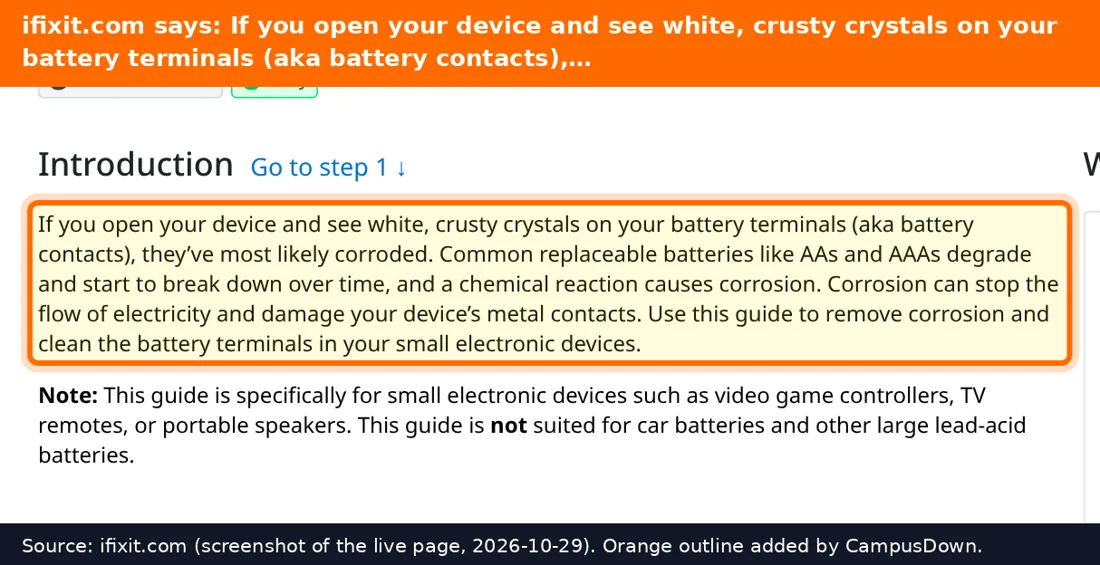
If the contacts are eaten away or the springs are broken, the device may not work. iFixit's battery page has info about batteries and devices. Contacts can sometimes be replaced, but for a basic remote, a universal remote might be cheaper than a fix.
Where else to check for hidden leaks
Remotes aren't the only spot. Check smoke alarm backup batteries when you test the alarm, but don't remove batteries from a required alarm without replacing them right away. Also look inside wireless keyboards and mice, flashlights in your emergency kit, kitchen scales, kids' toys you got from family, game controllers that use AA batteries, and holiday decorations stored since last year. Anything that sat in a drawer for months with batteries inside is a candidate.
Disposal basics
Put leaked batteries in a sealed bag. Rules vary by area, so check your city or county website for household battery disposal. Many hardware stores and electronics shops have drop-off bins, especially for rechargeable batteries. Never throw lithium batteries in the regular trash, since a damaged one can start a fire in a garbage truck. Tape the ends of rechargeable batteries before dropping them off to reduce the chance of a short.
Why this happens
We often forget batteries in devices we don't use much. That's status quo bias at work: if it's not broken right now, we leave it alone. We also underestimate how long things sit unused, which overlaps with planning fallacy thinking. And when a remote dies, Occam's razor says check the batteries before you blame the TV.
Prevent future leaks
- Remove batteries from devices you won't use for a while.
- Don't mix old and new batteries.
- Store batteries in a cool, dry place.
Found this helpful? Share it with a friend who’s dealing with the same mess.
Pick an app — it just sends the link, nothing else.
Frequently Asked Questions
What is the white crust on batteries?
It's residue from a battery leak, common with old alkaline batteries.
How do I clean battery corrosion?
Wear gloves, use a little vinegar or lemon juice on a swab for alkaline leaks, then dry everything well.
Is battery corrosion dangerous?
It can irritate skin and eyes. Wear gloves and avoid touching your face.
Can I still use a remote after battery leakage?
Often yes, if the contacts aren't badly damaged.