My Cheap Drone Refused to Pair and the Quad Stayed on the Grass
Drone won't connect to the controller? Charge both, re-pair them, update the app, cut interference, and check local flying rules before you take off again.
“Almost cried fixing my own house. Learned to read every quote instead.”
Theology · Scripture Cards
Open a scripture card
Already read and shared by 315 people.
 The God Who Brought You Out
Exodus 20:2
“I am Yahweh your God, who brought you out of the land of Egypt, out of the house of bondage.
Read this card
 He Revealed His Glory
John 2:11
This beginning of his signs Jesus did in Cana of Galilee, and revealed his glory; and his disciples believed in him.
Read this card
 I Am the Light of the World
John 8:12
Again, therefore, Jesus spoke to them, saying, “I am the light of the world. He who follows me will not walk in the darkness, but will have…
Read this card
 Your God, My God
Ruth 1:16
Ruth said, “Don’t urge me to leave you, and to return from following you, for where you go, I will go; and where you stay, I will stay.…
Read this card
 His Flesh Was Restored
2 Kings 5:14
Then he went down and dipped himself seven times in the Jordan, according to the saying of the man of God; and his flesh was restored like…
Read this card
 He Is Not Here, He Has Risen
Matthew 28:5-6
The angel answered the women, “Don’t be afraid, for I know that you seek Jesus, who has been crucified. He is not here, for he has risen…
Read this card
 Bread from Heaven
Exodus 16:4
Then Yahweh said to Moses, “Behold, I will rain bread from the sky for you, and the people shall go out and gather a day’s portion every…
Read this card
 The New Covenant in My Blood
Luke 22:19-20
He took bread, and when he had given thanks, he broke and gave it to them, saying, “This is my body which is given for you. Do this in…
Read this card
Key Takeaways
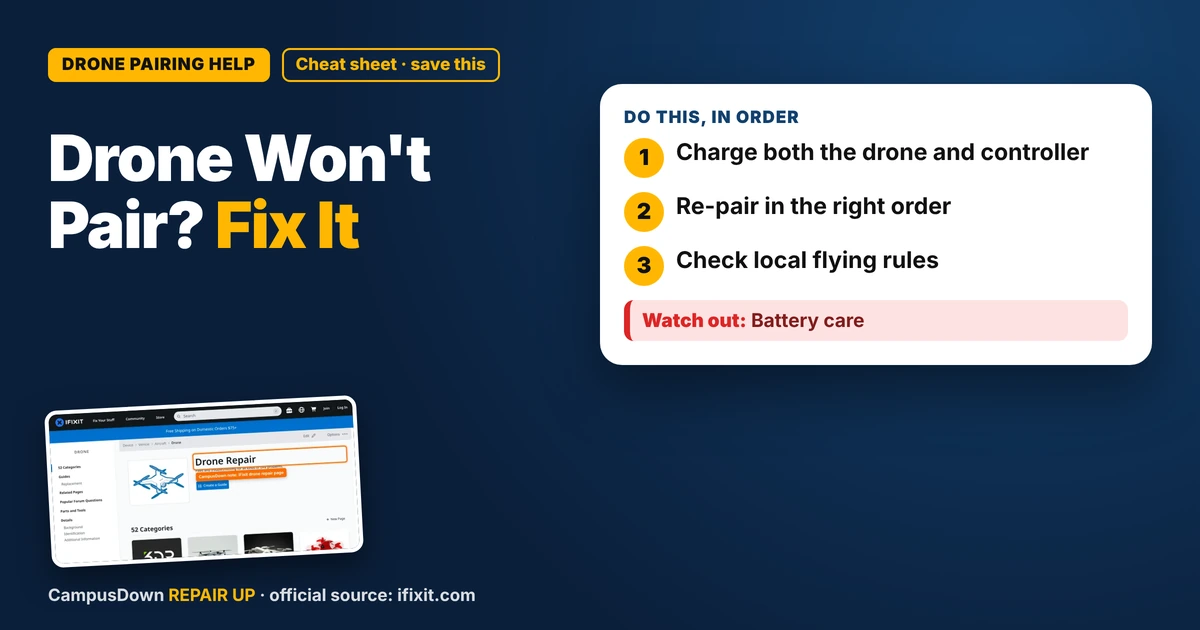
- Charge both the drone and controller.
- Re-pair in the right order.
- Check local flying rules.
I wanted those cinematic sunset shots of campus for my socials. I unboxed my budget drone, charged it, walked to the field, and... nothing. The lights blinked, the controller blinked, and they ignored each other completely. If your drone won't connect to the controller, the problem is usually pairing, power, or the app, not a broken drone.
Step 1: Charge everything
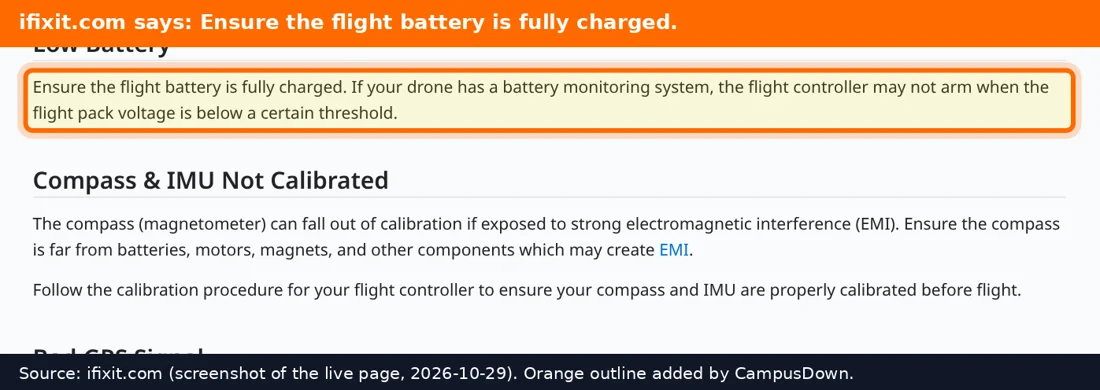
Drones and controllers both need decent power to pair. A weak controller battery is a common hidden problem.
- Fully charge the drone battery and the controller.
- If the controller uses AA or AAA batteries, put in fresh ones.
- Make sure the drone battery is seated and clicked in all the way.
Step 2: Re-pair them
Every model is a little different, but the basic pattern is the same.
- Turn on the drone first and set it on flat ground.
- Turn on the controller.
- Follow the pairing steps in the manual. Often that's moving the throttle stick up and down or holding a button.
If your drone uses a phone app, close the app fully and reopen it.
Step 3: Update and reset
- Check the app for firmware updates for the drone and controller.
- Restart your phone.
- Some drones have a reset option in the app or a button combo.
Step 4: Check for damage
If your drone crashed earlier, look for loose wires, a cracked shell, or a broken antenna. iFixit's drone page has guides for props, motors, and batteries on popular models. Bent props won't stop pairing, but they'll make flying wobbly, so swap those before your next flight.
Know the rules
Before flying, check local rules. Many campuses restrict drones, and some areas near airports or events are off-limits. Your school's website or the FAA's recreational drone info is a good place to start. Flying where you're not allowed can get you in real trouble, and nobody wants a campus security chat.
Why tech fails when we're excited
We pick the worst moments to discover tech problems, right when we're hyped. That's partly the planning fallacy: we expect setup to take two minutes. When it fails, it's easy to give up, but small fixes often work. And radio pairing is basically electromagnetic waves trying to find each other in a noisy room. Keeping a calm, step-by-step approach is the Occam's razor move: try the simplest explanation first.
Quick checklist
- Charge the drone and controller.
- Pair them in the right order.
- Update the app and firmware.
- Move away from interference.
- Check props and battery.
- Know where you can fly.
If this saved you a headache, it might save a friend one too.
Pick an app — it just sends the link, nothing else.
Frequently Asked Questions
Why won't my drone connect to my controller?
Low batteries, wrong pairing steps, outdated firmware, or interference are common reasons.
How do I re-pair my drone?
Turn on the drone first, then the controller, and follow your model's pairing steps.
Can Wi-Fi interference stop a drone from pairing?
It can. Try a different spot away from crowds and buildings.
Can I fly my drone on campus?
Check your school's rules and local regulations first.