My Echo Dot Went Orange and Stopped Playing My Alarm Playlist
Echo Dot won't connect to Wi-Fi in your apartment or dorm? Restart the router, check the band, redo setup in the app, and handle campus networks that block it.
“Almost cried fixing my own house. Learned to read every quote instead.”
Theology · Scripture Cards
Open a scripture card
Already read and shared by 315 people.
 The Lord Will Provide
Genesis 22:14
Abraham called the name of that place “Yahweh Will Provide”. As it is said to this day, “On Yahweh’s mountain, it will be provided.”
Read this card
 Your Faith Has Made You Well
Mark 10:52
Jesus said to him, “Go your way. Your faith has made you well.” Immediately he received his sight and followed Jesus on the way.
Read this card
 Wings like Eagles
Isaiah 40:31
but those who wait for Yahweh will renew their strength. They will mount up with wings like eagles. They will run, and not be weary. They…
Read this card
 In the Name of the Lord
1 Samuel 17:45, 47
Then David said to the Philistine, “You come to me with a sword, with a spear, and with a javelin; but I come to you in the name of Yahweh…
Read this card
 Peace, Be Still
Mark 4:39, 41
He awoke and rebuked the wind, and said to the sea, “Peace! Be still!” The wind ceased and there was a great calm. … They were greatly…
Read this card
 This Is My Beloved Son
Matthew 3:16-17
Jesus, when he was baptized, went up directly from the water: and behold, the heavens were opened to him. He saw the Spirit of God…
Read this card
 Twelve Baskets Left Over
John 6:11, 13
Jesus took the loaves, and having given thanks, he distributed to the disciples, and the disciples to those who were sitting down, likewise…
Read this card
 For Such a Time as This
Esther 4:14
For if you remain silent now, then relief and deliverance will come to the Jews from another place, but you and your father’s house will…
Read this card
Key Takeaways
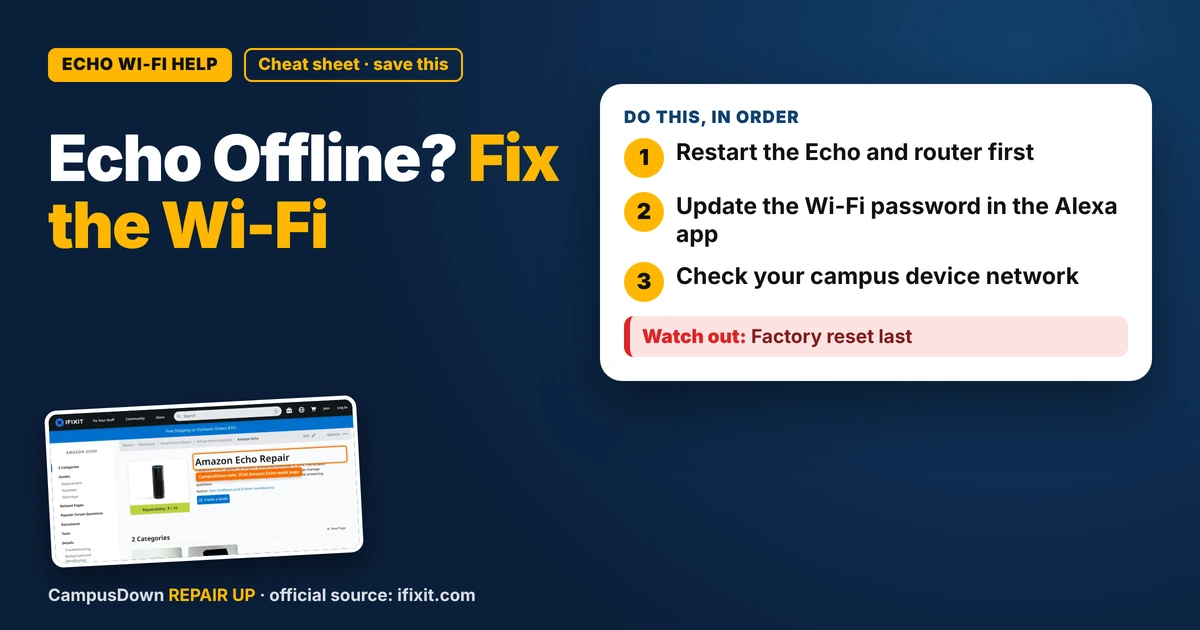
- Restart the Echo and router first.
- Update the Wi-Fi password in the Alexa app.
- Check your campus device network.
My Echo Dot is my alarm clock, my weather report, and my "play something chill" button. One morning it just spun an orange ring and said it was having trouble connecting. No alarm, no music, and I almost missed my 8 a.m. If your Echo Dot won't connect to Wi-Fi, it's usually a router hiccup, a password change, or a network that doesn't play nice with smart speakers.
What the light is telling you
On many Echo models, a spinning orange or a steady orange-ish light during setup points to a connection problem. Check the light guide in the Alexa app for your exact model, since colors and patterns can change between generations.
Step 1: Restart everything
It sounds too simple, but it fixes a lot.
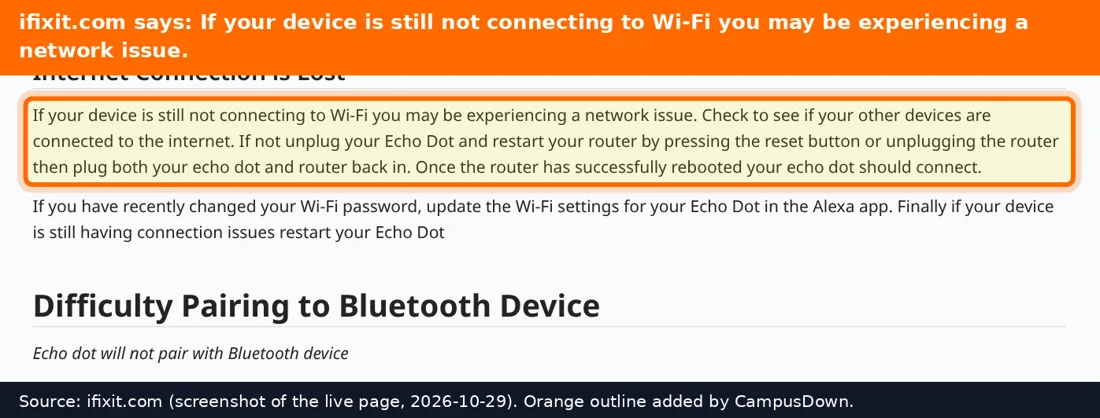
- Unplug the Echo for about a minute.
- Restart your router and modem if you have access. Unplug, wait, plug back in.
- Wait until the internet is back on your phone, then plug the Echo back in.
Step 2: Did the Wi-Fi password change?
If your landlord or roommate changed the router password, the Echo is still trying the old one. Open the Alexa app, go to your device settings, and update the Wi-Fi network. You may need to put the Echo into setup mode, often by holding the action button until the light changes.
Step 3: Check the network type
- Distance.* Move the Echo closer to the router for a test. Thick walls and microwaves can mess with the signal.
- Band.* Some routers combine 2.4 GHz and 5 GHz under one name. If setup keeps failing, try connecting to the 2.4 GHz network if it's separate.
- Guest networks.* Some guest networks block devices from talking to each other, which can break setup.
Dorm and campus Wi-Fi
Lots of campus networks use logins that smart speakers can't handle. Many schools offer a separate network or a device registration page for game consoles and smart speakers. Search your school IT site for "register device" or "gaming network". If you can't find it, ask the help desk. This is a super common question for them.
Hardware problems
If the Echo won't power on, gets hot, or the cord looks damaged, stop using it. iFixit's Amazon Echo page has teardown and repair info, but most people just replace the power adapter if that's the issue. Use an adapter that matches the original specs.
Why the router is always the villain
When tech breaks, we blame the newest device. Usually it's the router. That's Occam's razor: the simplest explanation wins. Smart speakers talk to routers using electromagnetic waves, and walls, metal, and microwaves get in the way. And the classic "it'll fix itself" move? That's normalcy bias, and it doesn't wake you up for class.
Backup alarm plan
Until it's fixed, set an alarm on your phone too. Put the phone across the room so you actually have to get up. Future you will be grateful.
Keep it connected
- Note your Wi-Fi name and password somewhere safe.
- Restart the router every so often if it gets sluggish.
- Keep the Echo away from microwaves and thick walls.
- Update the Alexa app.
If this saved you a headache, it might save a friend one too.
Pick an app — it just sends the link, nothing else.
Frequently Asked Questions
Why won't my Echo Dot connect to Wi-Fi?
Common reasons are a router hiccup, a changed password, distance, or a network that blocks smart devices.
How do I reconnect my Echo to new Wi-Fi?
Use the Alexa app to update the Wi-Fi network, putting the Echo into setup mode if needed.
Can an Echo Dot work on dorm Wi-Fi?
It depends on the network. Many campuses offer a device registration page or separate network.
Should I factory reset my Echo Dot?
Only after trying restarts and updating the Wi-Fi in the app.