My External Hard Drive Is Clicking and Won't Show Up. Should I Panic?
External hard drive clicking and not detected? Stop using it, try another cable and port once, avoid DIY opening, and know your data recovery options.
“Almost cried fixing my own house. Learned to read every quote instead.”
Theology · Scripture Cards
Open a scripture card
Already read and shared by 315 people.
 Salvation Is of the Lord
Jonah 2:6, 9
I went down to the bottoms of the mountains. The earth barred me in forever; yet you have brought my life up from the pit, Yahweh my God. ……
Read this card
 God So Loved the World
John 3:16
For God so loved the world, that he gave his only born Son, that whoever believes in him should not perish, but have eternal life.
Read this card
 Today a Savior Is Born
Luke 2:10-11
The angel said to them, “Don’t be afraid, for behold, I bring you good news of great joy which will be to all the people. For there is born…
Read this card
 Wings like Eagles
Isaiah 40:31
but those who wait for Yahweh will renew their strength. They will mount up with wings like eagles. They will run, and not be weary. They…
Read this card
 For Such a Time as This
Esther 4:14
For if you remain silent now, then relief and deliverance will come to the Jews from another place, but you and your father’s house will…
Read this card
 Take Heart, It Is I
Matthew 14:27, 31
But immediately Jesus spoke to them, saying, “Cheer up! It is I! Don’t be afraid.” … Immediately Jesus stretched out his hand, took hold of…
Read this card
 Be Strong and Courageous
Joshua 1:9
Haven’t I commanded you? Be strong and courageous. Don’t be afraid. Don’t be dismayed, for Yahweh your God is with you wherever you go.”
Read this card
 The Rainbow Covenant
Genesis 9:13, 16
I set my rainbow in the cloud, and it will be a sign of a covenant between me and the earth. … The rainbow will be in the cloud. I will…
Read this card
Key Takeaways
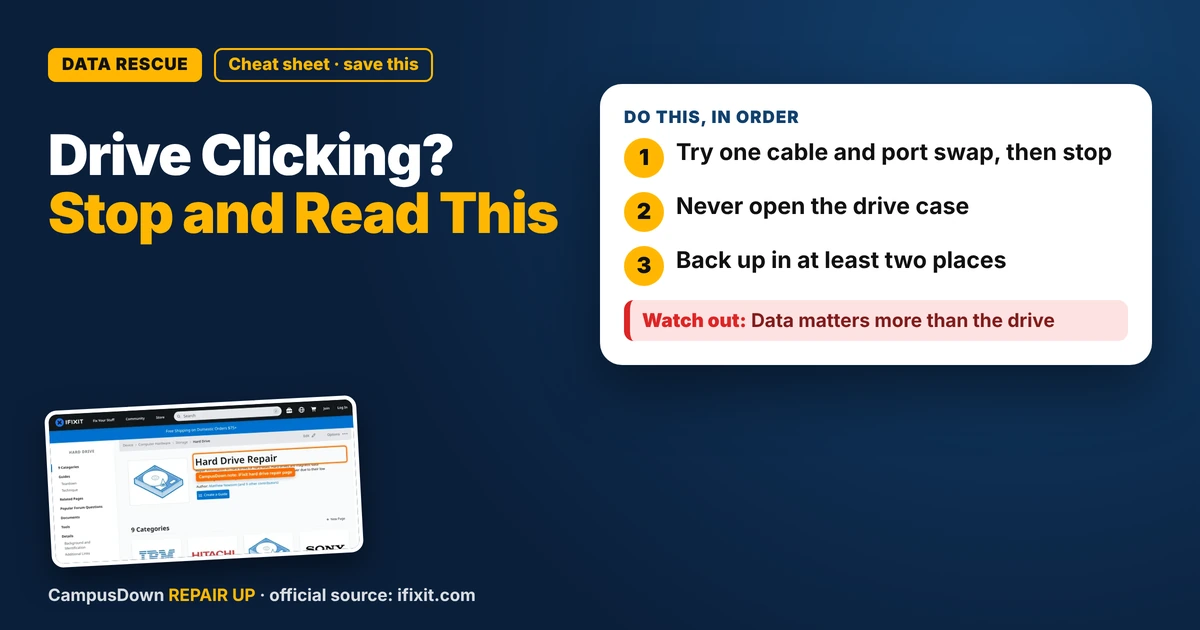
- Try one cable and port swap, then stop.
- Never open the drive case.
- Back up in at least two places.
You plug in the external drive with all your photos, projects, and maybe four years of memes, and you hear click... click... click. And it doesn't show up. If your external hard drive is clicking and not detected, this is one of those times where doing less is smarter. Here's what to try, and what not to.
Why clicking matters
Traditional hard drives have spinning platters and a moving arm. Repeated clicking can be a sign that something inside is struggling. Keeping it running and retrying over and over can sometimes make it worse.
Not every click means disaster, but treat it seriously.
Try these gentle checks once
- Swap the cable.* A bad USB cable can cause power or connection problems.
- Plug directly into the computer*, not through a hub.
- Try another port or computer.*
- Use the drive's own power adapter* if it came with one. Some drives need more power than a port gives.
If it shows up and you can see files, copy the most important ones first, right away.
What not to do
- Don't keep plugging it in and out over and over.
- Don't freeze it, hit it, or shake it. Those internet tricks can make damage worse.
- Don't open the drive case. Platters are extremely sensitive to dust and fingerprints.
- Don't run random repair tools on a clicking drive.
iFixit's hard drive page has information about drive parts and repairs, but opening a hard drive itself is not a home repair.
Your options
- Campus IT help desk* can sometimes help diagnose or point you to services.
- Manufacturer warranty* might replace the drive, but usually not recover data. Ask before sending it in.
- Professional data recovery* can be expensive, so decide based on how important the data is.
Why we don't back up
Thinking "my drive won't fail" is optimism bias. Putting off backups is procrastination. And valuing the files only after they're at risk is a version of loss aversion: losses feel way bigger than gains.
A budget backup plan
- Use free cloud storage from your school if available.
- Keep important files in at least two places.
- Back up photos to a cloud service on your phone.
- If you buy a new drive, keep it as a second copy, not the only one.
- Set a monthly reminder to back up.
Taking care of external drives
- Don't move the drive while it's running.
- Keep it on a flat, stable surface.
- Eject it properly before unplugging.
- Keep it away from heat, water, and drops.
Know someone staring at a repair right now? Send this their way.
Pick an app — it just sends the link, nothing else.
Frequently Asked Questions
Why is my external hard drive clicking?
Clicking can mean the drive is struggling internally. Treat it seriously and avoid repeated use.
Should I keep trying to plug in a clicking drive?
Try a different cable and port once. If it still clicks, stop if the data matters.
Can I open my hard drive to fix it?
No. Hard drive internals are sensitive, and opening it can ruin data.
Who can recover data from a clicking drive?
A professional data recovery service. Ask for a quote first.