My Gaming PC Won't Turn On at All and It Has My Whole Social Life Inside
Gaming PC won't turn on with no lights or fans? Check the PSU switch, cable, outlet, front panel, and RAM before you blame the motherboard or buy parts.
“Almost cried fixing my own house. Learned to read every quote instead.”
Theology · Scripture Cards
Open a scripture card
Already read and shared by 315 people.
 My Heart Rejoices in the Lord
1 Samuel 2:1-2
Hannah prayed, and said, “My heart exults in Yahweh! My horn is exalted in Yahweh. My mouth is enlarged over my enemies, because I rejoice…
Read this card
 The Jar Was Not Empty
1 Kings 17:14, 16
For Yahweh, the God of Israel, says, ‘The jar of meal will not run out, and the jar of oil will not fail, until the day that Yahweh sends…
Read this card
 Until He Finds It
Luke 15:4, 6
“Which of you men, if you had one hundred sheep and lost one of them, wouldn’t leave the ninety-nine in the wilderness and go after the one…
Read this card
 The Lord Is My Shepherd
Psalm 23:1, 4
Yahweh is my shepherd; I shall lack nothing. … Even though I walk through the valley of the shadow of death, I will fear no evil, for you…
Read this card
 The Lord, He Is God
1 Kings 18:38-39
Then Yahweh’s fire fell and consumed the burnt offering, the wood, the stones, and the dust; and it licked up the water that was in the…
Read this card
 Bread from Heaven
Exodus 16:4
Then Yahweh said to Moses, “Behold, I will rain bread from the sky for you, and the people shall go out and gather a day’s portion every…
Read this card
 While He Was Still a Long Way Off
Luke 15:20, 22
“He arose and came to his father. But while he was still far off, his father saw him and was moved with compassion, and ran, fell on his…
Read this card
 Look and Live
Numbers 21:8-9
Yahweh said to Moses, “Make a venomous snake, and set it on a pole. It shall happen that everyone who is bitten, when he sees it, shall…
Read this card
Key Takeaways
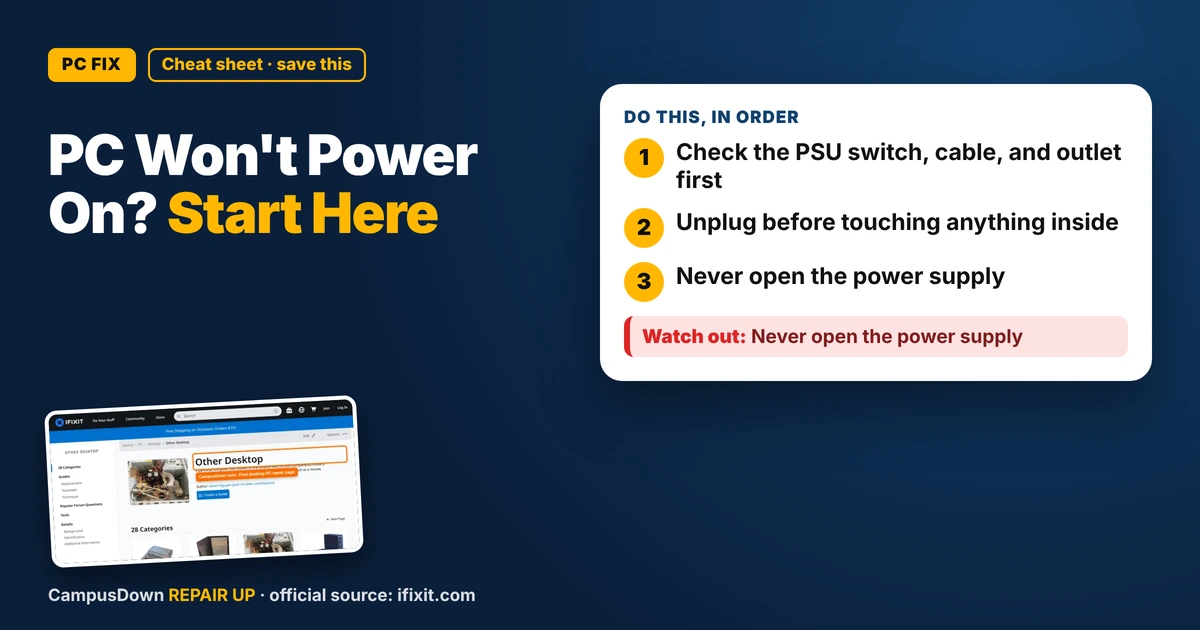
- Check the PSU switch, cable, and outlet first.
- Unplug before touching anything inside.
- Never open the power supply.
You hit the power button. Nothing. No fans, no RGB, no sound. Just a dark box sitting there like an expensive doorstop. If your gaming PC won't turn on with no lights or fans, don't start pricing new parts yet. Most dead-on-arrival moments start with something boring outside the case.
Start outside the case
- Power supply switch.* On the back of the PC, the power supply usually has its own on/off switch. Make sure it's on. Roommates and vacuum cleaners have flipped this before.
- Power cable.* Push it in firmly on both ends. Try a different cable if you have one, many monitors use the same kind.
- Outlet and power strip.* Plug a lamp into the same outlet. Power strips have switches and sometimes trip. Try plugging straight into the wall.
- Wait a bit.* Unplug it, hold the power button for a few seconds to drain leftover power, then plug back in and try again.
Then look inside (carefully)
Only open the case if you're comfortable doing it, and always unplug it first.
- Front panel connector.* The tiny wires from the power button to the motherboard can come loose, especially after moving the PC. Check your motherboard manual for the right pins.
- Main power cables.* The big motherboard power cable and the CPU power cable near the top should be fully seated.
- RAM.* A loose stick can cause problems. Reseat it firmly until it clicks.
iFixit's desktop PC page collects troubleshooting and repair guides if you want photos of what these parts look like.
Clues and what they might mean
- No lights at all, anywhere:* often power, cable, PSU switch, or the PSU itself.
- Lights on the motherboard but nothing starts:* could be the front panel connector or the power button.
- Fans spin for a second then stop:* could be a short, a loose cable, or a power supply issue.
- Burning smell:* unplug it right away and don't keep trying.
When to get help
If none of the basic checks work, the power supply or motherboard may be the problem. Testing a PSU usually means swapping in a known good one, which you may not have. A local repair shop or a friend who builds PCs can help you test without buying parts blindly.
Why we jump to the worst case
Assuming the motherboard is fried is the availability heuristic: horror stories online are louder than the "it was the switch" stories. Panic-buying parts without testing is overconfidence bias. And feeling like you have to keep pouring money into an old build is the sunk cost trap. Decide based on what fixing it will cost now.
Prevention for broke builders
- Use a decent power strip with surge protection.
- Don't move the PC while it's running.
- Clean dust from the case filters every so often.
- Label your cables when you build, so future you knows what goes where.
If this saved you a headache, it might save a friend one too.
Pick an app — it just sends the link, nothing else.
Frequently Asked Questions
Why won't my PC turn on at all?
Common causes are the power supply switch, a loose cable, a bad outlet or power strip, or loose front panel wires.
How do I check if my power supply is dead?
Check the switch, cable, and outlet first. Testing further usually means trying a known good power supply or getting help.
Can loose RAM stop a PC from starting?
It can cause start-up problems. Reseat it firmly after unplugging the PC.
Is it safe to open a power supply?
No. Power supplies can hold dangerous charge. Replace or have it tested instead.