My Keyboard Typed "Helllo" and I Looked Unhinged
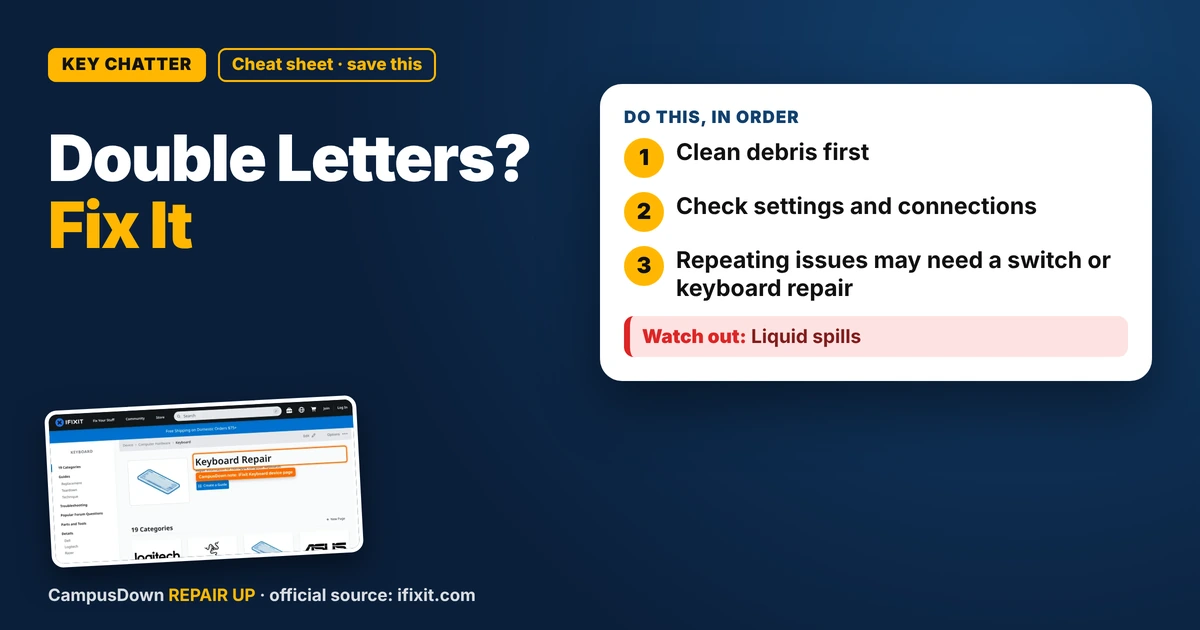
Keyboard typing double letters when you press a key once? Clean debris, check settings and connections, and know when a key switch or keyboard needs repair.
“Almost cried fixing my own house. Learned to read every quote instead.”
Theology · Scripture Cards
Open a scripture card
Already read and shared by 315 people.
 I Am with You Always
Matthew 28:20
teaching them to observe all things that I commanded you. Behold, I am with you always, even to the end of the age.” Amen.
Read this card
 Bread from Heaven
Exodus 16:4
Then Yahweh said to Moses, “Behold, I will rain bread from the sky for you, and the people shall go out and gather a day’s portion every…
Read this card
 A Fourth Walking in the Fire
Daniel 3:25
He answered, “Look, I see four men loose, walking in the middle of the fire, and they are unharmed. The appearance of the fourth is like a…
Read this card
 Today a Savior Is Born
Luke 2:10-11
The angel said to them, “Don’t be afraid, for behold, I bring you good news of great joy which will be to all the people. For there is born…
Read this card
 Surely I Will Be with You
Judges 6:16
Yahweh said to him, “Surely I will be with you, and you shall strike the Midianites as one man.”
Read this card
 I Am the Light of the World
John 8:12
Again, therefore, Jesus spoke to them, saying, “I am the light of the world. He who follows me will not walk in the darkness, but will have…
Read this card
 While He Was Still a Long Way Off
Luke 15:20, 22
“He arose and came to his father. But while he was still far off, his father saw him and was moved with compassion, and ran, fell on his…
Read this card
 Meant for Good
Genesis 50:20
As for you, you meant evil against me, but God meant it for good, to save many people alive, as is happening today.
Read this card
Key Takeaways
- Clean debris first.
- Check settings and connections.
- Repeating issues may need a switch or keyboard repair.
I was sending a message to someone I was trying to impress and it came out as "heyy, how's yourr day?" Not the chill energy I wanted. If your keyboard is typing double letters when you press once, that's often called key chatter. Here's how I'd troubleshoot it on a budget.
Step 1: Clean under the keys
Dust and crumbs can make a key register twice. Turn off or unplug the keyboard, tip it upside down, and gently tap it. Use compressed air at an angle around the problem key. Don't spray liquid into it.
Step 2: Check settings
- Look at keyboard repeat settings on your computer.
- Some systems have repeat delay options.
- Try typing on a different app to see if it's everywhere.
Step 3: Check the connection
For wireless keyboards, replace or charge the battery and make sure the receiver isn't far away or blocked. For wired ones, try another USB port.
Step 4: Test on another computer
If the double letters happen on another computer, it's probably the keyboard. If not, it might be software on your main machine.
Where to look for repair info
The iFixit Keyboard device page has repair guides and troubleshooting for keyboards. For mechanical keyboards, it's especially helpful if a single switch is the problem.
Why tiny glitches feel huge
One weird text and my brain decided the whole thing was ruined. That's the spotlight effect: we think people notice our mistakes more than they do. Most people know keyboards glitch. The fix is often simple, Occam's razor again. And typing all day can take a toll on your hands too, so take breaks to lower risk of things like carpal tunnel syndrome.
When to repair or replace
- The same key keeps chattering after cleaning.
- Multiple keys act weird.
- It's a laptop keyboard under warranty.
- You spilled liquid in it.
Budget backup
A cheap external keyboard can save a laptop with a bad built-in key. Campus IT or a repair shop can check warranty options too.
Found this helpful? Share it with a friend who’s dealing with the same mess.
Pick an app — it just sends the link, nothing else.
Frequently Asked Questions
Why is my keyboard typing double letters?
Often debris under the key, a worn switch, or a repeat setting issue.
How do I fix key chatter?
Clean around the key, check settings and connections, and test on another computer.
Can I fix a single bad key?
Sometimes. Mechanical switches can be replaced; laptop keys depend on the model.
What should I do after a spill?
Power off right away and let it dry. Get it checked if it doesn't work.