My Laptop Trackpad Started Bulging Up. Turns Out That's a Big Deal
Laptop trackpad raised or the case won't close flat? That can be a swollen lithium-ion battery. Here's what to do right away and what not to do.
“Almost cried fixing my own house. Learned to read every quote instead.”
Theology · Scripture Cards
Open a scripture card
Already read and shared by 315 people.
 Your Faith Has Made You Well
Mark 10:52
Jesus said to him, “Go your way. Your faith has made you well.” Immediately he received his sight and followed Jesus on the way.
Read this card
 Daughter, Your Faith Has Healed You
Mark 5:34
He said to her, “Daughter, your faith has made you well. Go in peace, and be cured of your disease.”
Read this card
 The Sun of Righteousness
Malachi 4:2
But to you who fear my name shall the sun of righteousness arise with healing in its wings. You will go out and leap like calves of the…
Read this card
 While He Was Still a Long Way Off
Luke 15:20, 22
“He arose and came to his father. But while he was still far off, his father saw him and was moved with compassion, and ran, fell on his…
Read this card
 He Revealed His Glory
John 2:11
This beginning of his signs Jesus did in Cana of Galilee, and revealed his glory; and his disciples believed in him.
Read this card
 The New Covenant in My Blood
Luke 22:19-20
He took bread, and when he had given thanks, he broke and gave it to them, saying, “This is my body which is given for you. Do this in…
Read this card
 Twelve Baskets Left Over
John 6:11, 13
Jesus took the loaves, and having given thanks, he distributed to the disciples, and the disciples to those who were sitting down, likewise…
Read this card
 Hosanna to the Son of David
Matthew 21:9
The multitudes who went in front of him, and those who followed, kept shouting, “Hosanna to the son of David! Blessed is he who comes in…
Read this card
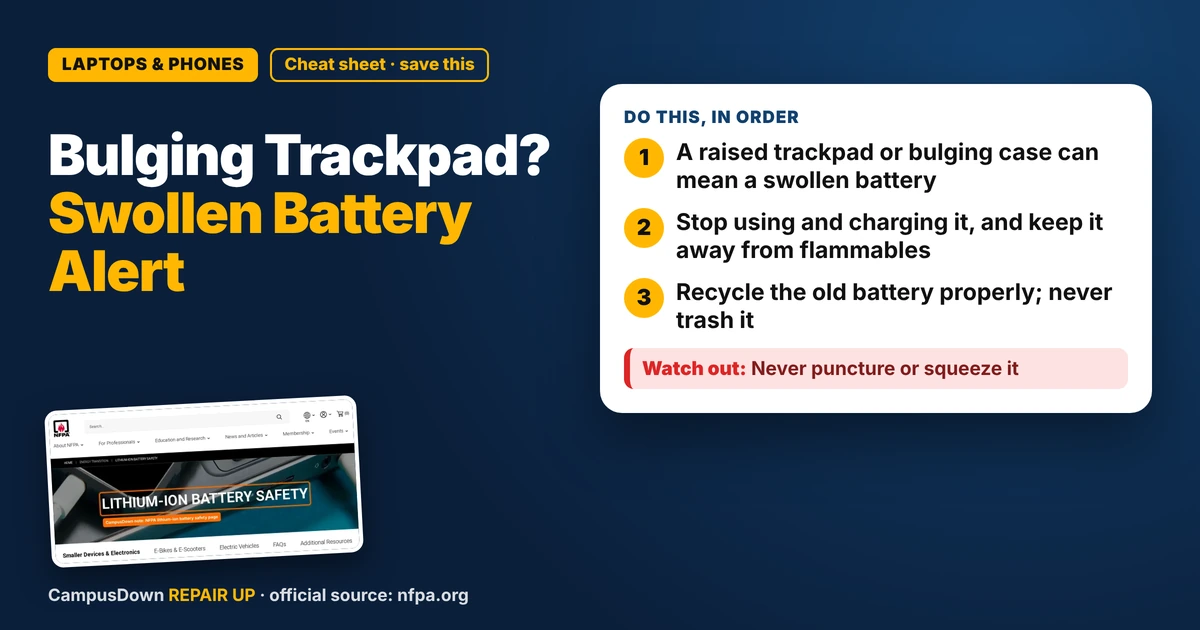
Key Takeaways
- A raised trackpad or bulging case can mean a swollen battery.
- Stop using and charging it, and keep it away from flammables.
- Recycle the old battery properly; never trash it.
My trackpad started feeling weird, like it was clicking on its own and sitting higher than usual. A quick search later, I learned something I wish someone had told me sooner: if your laptop battery is swollen and the trackpad is raised, that's a safety issue, not a cosmetic one.
What a swollen battery looks like
Most laptops use lithium-ion batteries. When they swell, the battery pushes on whatever is around it. On many laptops that's the trackpad or the bottom case. Signs include:
- The trackpad is raised, stiff, or clicks on its own.
- The case bulges, or the laptop wobbles on a flat table.
- The screen won't close evenly, or there's a gap at the seams.
- The battery drains fast or the laptop shuts off randomly.
The NFPA lithium-ion battery safety page lists warning signs like swelling, odor, overheating and changes in shape, and says to stop using the device if you notice them.
What to do right now
- Stop using it and unplug it.* Don't keep charging a battery that's changing shape.
- Move it somewhere safe*, on a hard surface away from anything that burns, like your bed or a pile of papers.
- Don't press on the bulge.* Don't try to flatten the trackpad or the case.
- Back up your files* only if you can do it quickly without charging or stressing it. Your safety beats your downloads folder.
Getting it replaced
A swollen battery needs to come out. For many students, the easiest route is the manufacturer's support, an authorized repair shop, or campus IT. If your laptop is under warranty or has battery coverage, check that first. Some shops will replace only the battery, which is usually much cheaper than a new laptop.
When you're comparing quotes, think about opportunity cost: a battery replacement on a laptop that otherwise runs fine is often a better use of money than a full new device.
How to dispose of the old battery
Swollen lithium-ion batteries shouldn't go in the regular trash or recycling bin. Ask the repair shop to take it, or find a household hazardous waste drop-off or electronics recycler in your area. Tape over the terminals if you're carrying a loose battery, and keep it in a non-flammable container.
Help your next battery last longer
- Avoid leaving your laptop in a hot car or under a blanket while charging.
- Use the charger made for your device or a certified replacement.
- Don't charge on your bed. Soft surfaces trap heat.
Heat is a battery's enemy. Basic heat transfer explains why a laptop buried in a comforter runs hotter than one on a desk. Ignoring warning signs because "it's probably fine" is classic normalcy bias.
If this saved you a headache, it might save a friend one too.
Pick an app — it just sends the link, nothing else.
Frequently Asked Questions
Is a swollen laptop battery dangerous?
It can be. The NFPA says to stop using devices with swollen or deformed lithium-ion batteries.
Can I keep using my laptop with a raised trackpad?
No. Stop using and charging it, and get the battery replaced.
How do I get rid of a swollen battery?
Don't trash it. Use a repair shop, electronics recycler, or household hazardous waste site.
Is battery replacement worth it?
If the laptop otherwise works, replacing the battery is often cheaper than replacing the laptop.