My Laptop Screen Flops Around Like It's Tired. Here's What to Do
Laptop hinge loose and the screen wobbles? Learn safe checks, why hinges fail, when a repair guide helps, and when a campus or warranty repair is smarter.
“Almost cried fixing my own house. Learned to read every quote instead.”
Theology · Scripture Cards
Open a scripture card
Already read and shared by 315 people.
 The Lord Will Provide
Genesis 22:14
Abraham called the name of that place “Yahweh Will Provide”. As it is said to this day, “On Yahweh’s mountain, it will be provided.”
Read this card
 Be Strong and Courageous
Joshua 1:9
Haven’t I commanded you? Be strong and courageous. Don’t be afraid. Don’t be dismayed, for Yahweh your God is with you wherever you go.”
Read this card
 The New Covenant in My Blood
Luke 22:19-20
He took bread, and when he had given thanks, he broke and gave it to them, saying, “This is my body which is given for you. Do this in…
Read this card
 Peace, Be Still
Mark 4:39, 41
He awoke and rebuked the wind, and said to the sea, “Peace! Be still!” The wind ceased and there was a great calm. … They were greatly…
Read this card
 Listen to Him
Matthew 17:5
While he was still speaking, behold, a bright cloud overshadowed them. Behold, a voice came out of the cloud, saying, “This is my beloved…
Read this card
 For Such a Time as This
Esther 4:14
For if you remain silent now, then relief and deliverance will come to the Jews from another place, but you and your father’s house will…
Read this card
 Surely I Will Be with You
Judges 6:16
Yahweh said to him, “Surely I will be with you, and you shall strike the Midianites as one man.”
Read this card
 I AM WHO I AM
Exodus 3:14
God said to Moses, “I AM WHO I AM,” and he said, “You shall tell the children of Israel this: ‘I AM has sent me to you.’ ”
Read this card
Key Takeaways
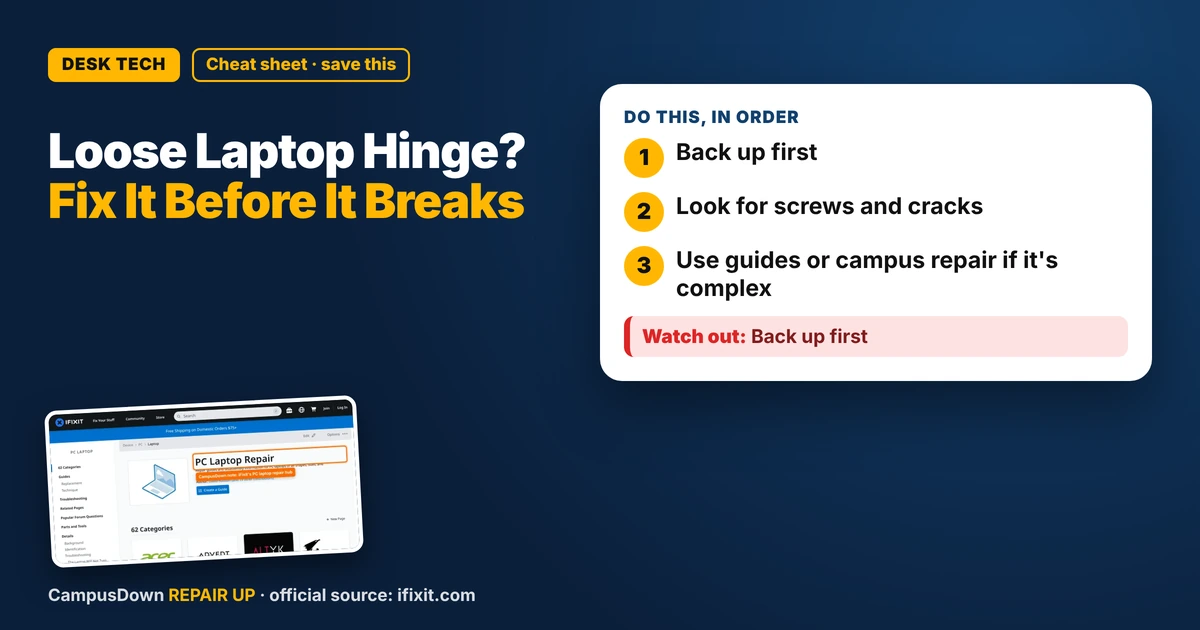
- Back up first.
- Look for screws and cracks.
- Use guides or campus repair if it's complex.
You type and the screen bounces. You lean back and it falls open. If your laptop hinge is loose and the screen wobbles, it's worth acting early, because loose hinges can crack plastic or strain the display cable. Here's a student fix plan.
Why hinges loosen
Opening and closing from one corner, carrying the laptop by the screen, and daily backpack life wear hinges over time. Screws can loosen. On some laptops, the plastic around the hinge mounts can crack.
Safe first checks
Look for loose screws on the bottom near the hinge. Check for cracks around the hinge area. If you see cracks, don't tighten anything hard. Stop and get it looked at.
The iFixit PC laptop hub has repair guides for many laptop models, including hinge and screen work. Search your exact model and read the difficulty level before opening anything.
Habits that help
- Open the lid from the center, not a corner.
- Never lift the laptop by the screen.
- Use a padded sleeve in your backpack.
- Don't stack heavy books on top of it.
DIY or not?
Hinge repairs range from simple screw tightening to taking apart the display. If the guide looks advanced, or you'd need to remove the screen, a campus IT shop or repair store might be safer. Check your warranty and student protection plans first.
The brain stuff
"It still works" keeps you using it until it breaks, a version of the ostrich effect. Thinking you'll fix it yourself in one afternoon can be the Dunning-Kruger effect if the guide is hard. And putting off repairs during finals is hyperbolic discounting.
Found this helpful? Share it with a friend who’s dealing with the same mess.
Pick an app — it just sends the link, nothing else.
Frequently Asked Questions
Why is my laptop hinge loose?
Wear from daily use, loose screws, or cracked mounts are common causes.
Can I tighten a laptop hinge myself?
Sometimes. Check a guide for your model and stop if you see cracks.
How do I prevent hinge damage?
Open from the center and never lift by the screen.
Is a hinge repair covered by warranty?
It might be. Check before paying for repair.