My Mouse Keeps Double Clicking and Just Closed My Essay Without Saving
Mouse double clicking on its own? Check settings, battery, surface, and drivers, clean the button, and know when replacing a cheap mouse beats repair.
“Almost cried fixing my own house. Learned to read every quote instead.”
Theology · Scripture Cards
Open a scripture card
Already read and shared by 315 people.
 Be Strong and Courageous
Joshua 1:9
Haven’t I commanded you? Be strong and courageous. Don’t be afraid. Don’t be dismayed, for Yahweh your God is with you wherever you go.”
Read this card
 Enter His Gates with Thanksgiving
Psalm 100:4-5
Enter into his gates with thanksgiving, and into his courts with praise. Give thanks to him, and bless his name. For Yahweh is good. His…
Read this card
 Daughter, Your Faith Has Healed You
Mark 5:34
He said to her, “Daughter, your faith has made you well. Go in peace, and be cured of your disease.”
Read this card
 Wings like Eagles
Isaiah 40:31
but those who wait for Yahweh will renew their strength. They will mount up with wings like eagles. They will run, and not be weary. They…
Read this card
 Your Faith Has Made You Well
Mark 10:52
Jesus said to him, “Go your way. Your faith has made you well.” Immediately he received his sight and followed Jesus on the way.
Read this card
 Until He Finds It
Luke 15:4, 6
“Which of you men, if you had one hundred sheep and lost one of them, wouldn’t leave the ninety-nine in the wilderness and go after the one…
Read this card
 God So Loved the World
John 3:16
For God so loved the world, that he gave his only born Son, that whoever believes in him should not perish, but have eternal life.
Read this card
 My Heart Rejoices in the Lord
1 Samuel 2:1-2
Hannah prayed, and said, “My heart exults in Yahweh! My horn is exalted in Yahweh. My mouth is enlarged over my enemies, because I rejoice…
Read this card
Key Takeaways
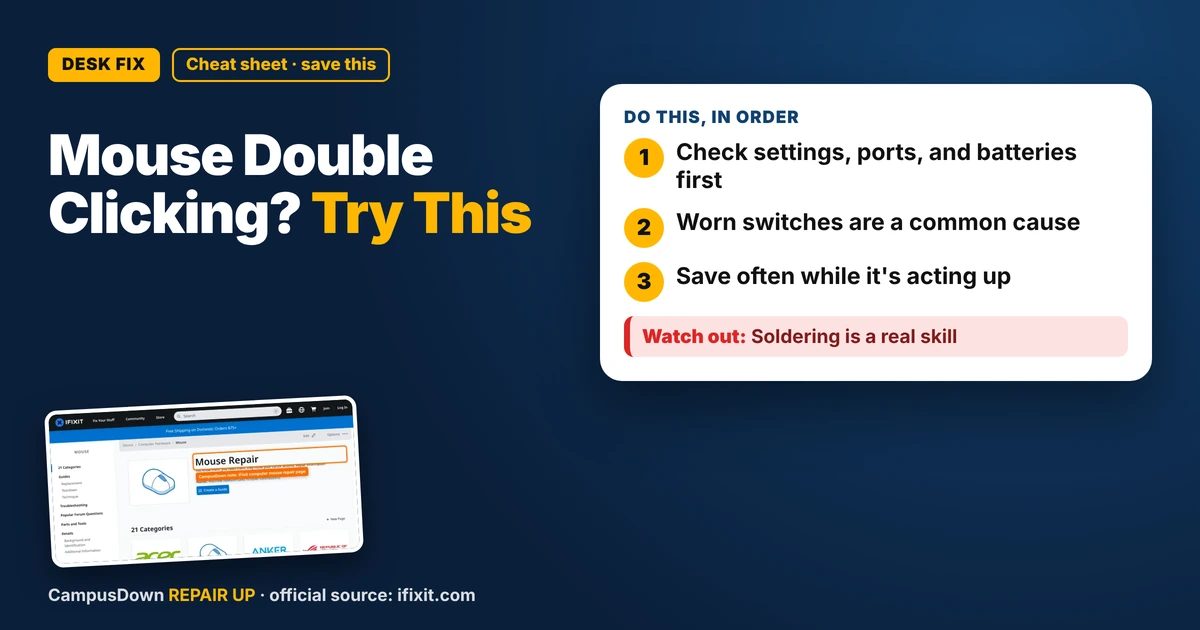
- Check settings, ports, and batteries first.
- Worn switches are a common cause.
- Save often while it's acting up.
You click once to open a file, and it opens twice. You try to drag a paragraph, and it drops it somewhere random. If your mouse is double clicking on its own and you need a fix, especially during finals week, here's the cheap path first.
Rule out settings first
Before blaming the hardware, check the computer:
- Double-click speed.* In your mouse settings (Windows or Mac), a very slow double-click setting can make two separate clicks register as a double click. Try adjusting it.
- Try another USB port* or another computer. If the problem follows the mouse, it's the mouse.
- Wireless?* Replace or charge the batteries and move the receiver closer. Weak signals can cause weird clicks.
- Update or reinstall drivers*, especially for gaming mice with their own software.
Check your surface and the sensor
A dirty sensor or shiny desk can make the cursor jump, which sometimes feels like random clicking. Wipe the sensor gently with a dry cotton swab and use a mouse pad or a plain sheet of paper.
The common hardware cause
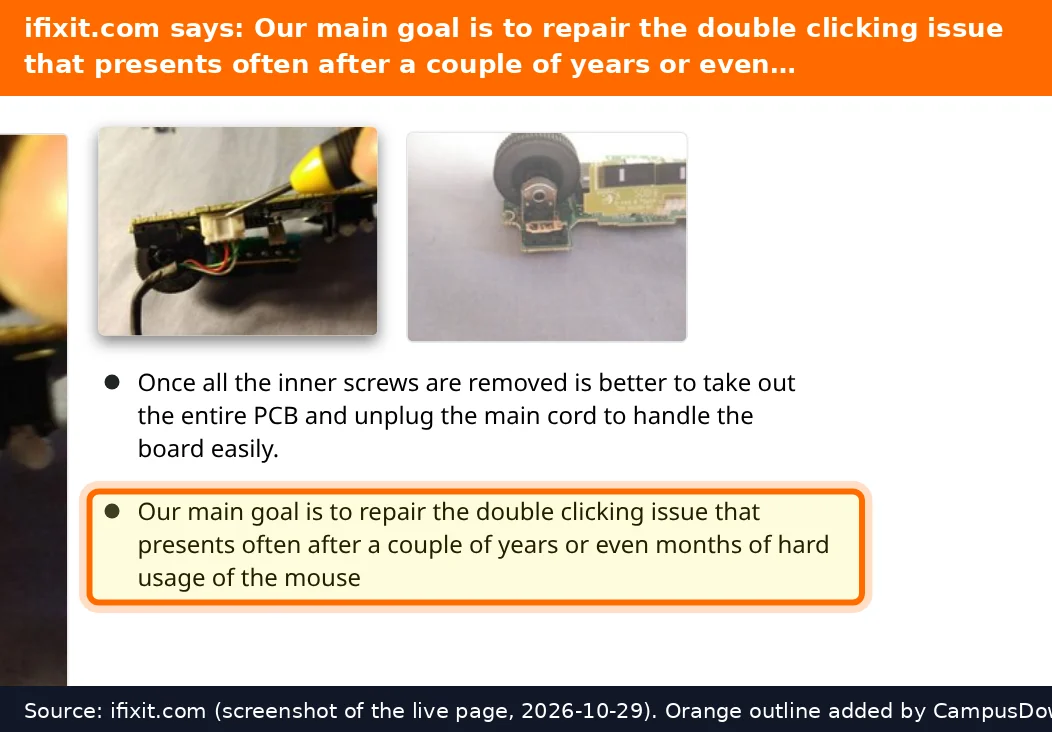
On many mice, the little switch under the button wears out over time. When that happens, one press can register as two. iFixit's mouse page has teardown and repair guides for many models, including switch replacements.
- Turn it off or unplug it.
- Use compressed air around the button edges.
- Click the button firmly several times while blowing air in, in case debris is the issue.
Why we live with it so long
Clicking extra carefully for weeks is status quo bias. Thinking "it'll probably stop on its own" is optimism bias. And noticing it only when it ruins something important is the availability heuristic talking.
Budget decision time
- Free: settings, ports, batteries, cleaning.
- Cheap: a basic replacement mouse, often less than a nice takeout dinner.
- DIY: a switch swap if you already own a soldering iron and like a challenge.
- Warranty: check the manufacturer's warranty if the mouse is newer, especially for gaming mice.
If this saved you a headache, it might save a friend one too.
Pick an app — it just sends the link, nothing else.
Frequently Asked Questions
Why does my mouse double click when I click once?
Common causes include a worn button switch, debris, low battery on wireless mice, or a double-click speed setting.
Can I fix a double-clicking mouse myself?
Try settings, cleaning, and new batteries. Switch replacement is possible but often needs soldering.
Is it a software or hardware problem?
Test the mouse on another computer. If it still double clicks, it's likely the mouse.
Should I repair or replace a cheap mouse?
For a basic mouse, replacement is usually simpler. For a pricey mouse, check warranty or repair guides.