My Printer Swears There's a Paper Jam. There Is No Paper.
Printer says paper jam but there's no paper inside? Check hidden scraps, rollers, the rear door and settings with this calm student fix order before class.
“Almost cried fixing my own house. Learned to read every quote instead.”
Theology · Scripture Cards
Open a scripture card
Already read and shared by 315 people.
 Water from the Rock
Exodus 17:6
Behold, I will stand before you there on the rock in Horeb. You shall strike the rock, and water will come out of it, that the people may…
Read this card
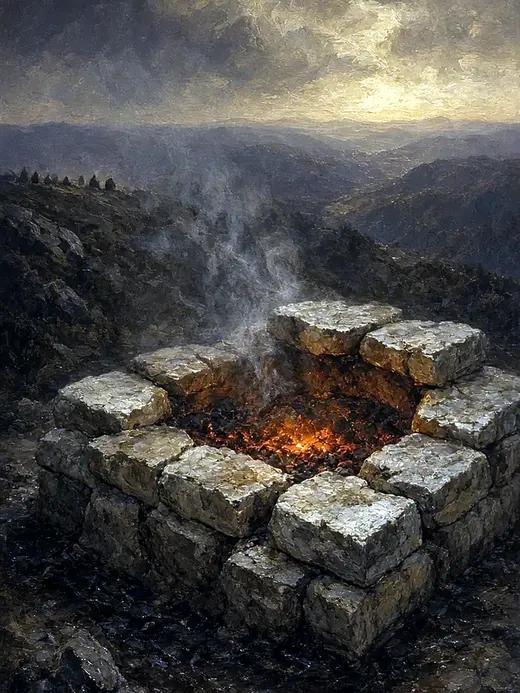 The Lord, He Is God
1 Kings 18:38-39
Then Yahweh’s fire fell and consumed the burnt offering, the wood, the stones, and the dust; and it licked up the water that was in the…
Read this card
 God So Loved the World
John 3:16
For God so loved the world, that he gave his only born Son, that whoever believes in him should not perish, but have eternal life.
Read this card
 He Is Not Here, He Has Risen
Matthew 28:5-6
The angel answered the women, “Don’t be afraid, for I know that you seek Jesus, who has been crucified. He is not here, for he has risen…
Read this card
 The Rainbow Covenant
Genesis 9:13, 16
I set my rainbow in the cloud, and it will be a sign of a covenant between me and the earth. … The rainbow will be in the cloud. I will…
Read this card
 The Lord Will Provide
Genesis 22:14
Abraham called the name of that place “Yahweh Will Provide”. As it is said to this day, “On Yahweh’s mountain, it will be provided.”
Read this card
 For Such a Time as This
Esther 4:14
For if you remain silent now, then relief and deliverance will come to the Jews from another place, but you and your father’s house will…
Read this card
 My Heart Rejoices in the Lord
1 Samuel 2:1-2
Hannah prayed, and said, “My heart exults in Yahweh! My horn is exalted in Yahweh. My mouth is enlarged over my enemies, because I rejoice…
Read this card
Key Takeaways
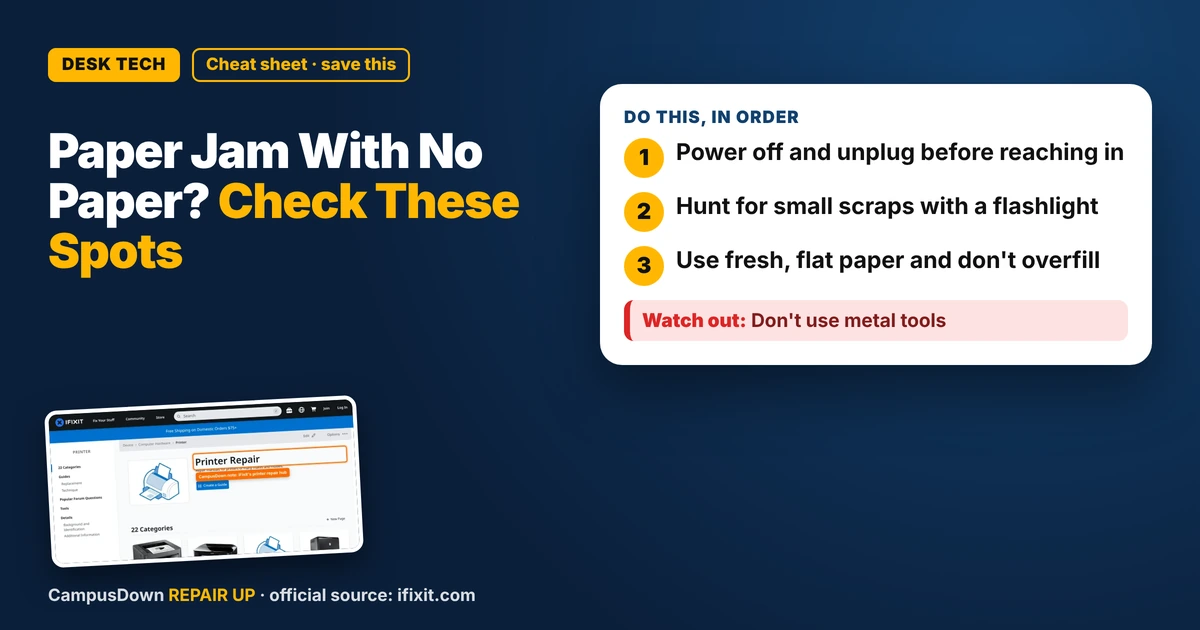
- Power off and unplug before reaching in.
- Hunt for small scraps with a flashlight.
- Use fresh, flat paper and don't overfill.
Ten minutes before class, you hit print, and the screen says paper jam. You look inside. Nothing. If your printer says paper jam but there's no paper inside, it's usually hiding somewhere or a sensor is confused. Here's the calm fix order.
Power off first
Turn the printer off and unplug it before you reach inside. Some parts move, and some get hot. Give it a minute. Restarting alone sometimes clears a false jam message, so try that once before anything else.
Look for tiny scraps
A torn corner of paper can stay stuck after a jam, and the printer still "feels" it. Use a flashlight. Check the input tray, the output slot, the rear access door if yours has one, and under the cartridge area. Pull scraps out slowly in the direction paper normally moves so they don't tear again.
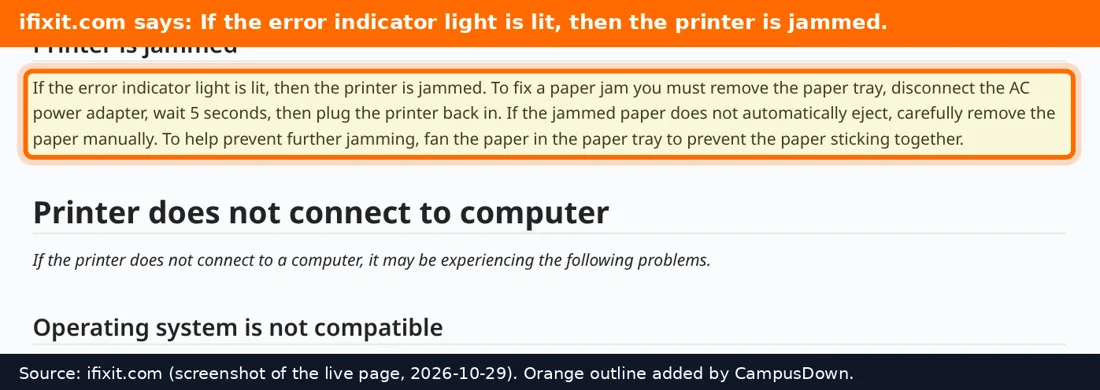
The iFixit printer hub has guides and community answers by brand and model, so look up yours before taking any covers off.
Check the rollers and the paper
Dusty or worn rollers can grab paper badly and trigger jam errors. Many guides suggest gently cleaning them with a lint-free cloth. Also check your paper: damp, curled, or overfilled stacks cause trouble. Fan the stack, square it up, and don't jam the tray to the top.
Why we keep repeating the same move
If you've pressed "retry" twenty times, that's the sunk cost feeling of already investing in this print job. Stop and actually inspect. And if you keep ignoring a printer that jams weekly, that's a bit of the ostrich effect. The problem doesn't leave because you stopped looking.
When to use plan B
If no scraps, clean rollers, fresh paper, and a restart still give the error, the sensor or a part may need service. Campus libraries and print centers exist for exactly this moment. Shared printers are also where tragedy of the commons shows up, so be the person who clears the jam properly.
Found this helpful? Share it with a friend who’s dealing with the same mess.
Pick an app — it just sends the link, nothing else.
Frequently Asked Questions
Why does my printer say paper jam when there is none?
A small scrap, dirty rollers, or a confused sensor can trigger it.
How do I find hidden paper in a printer?
Power off, use a flashlight, and check trays, the rear door, and the cartridge area.
Can damp paper cause jams?
Yes, curled or damp paper can feed badly.
What if the error won't clear?
Restart, clean rollers, and check guides for your model, or use a campus printer.