I Found Three Dead Chargers and a Broken Laptop in My Closet
How to recycle old electronics when moving out: wipe your data, deal with batteries safely, find a drop-off, and avoid tossing gadgets in the regular trash.
“Almost cried fixing my own house. Learned to read every quote instead.”
Theology · Scripture Cards
Open a scripture card
Already read and shared by 315 people.
 The Lord, He Is God
1 Kings 18:38-39
Then Yahweh’s fire fell and consumed the burnt offering, the wood, the stones, and the dust; and it licked up the water that was in the…
Read this card
 Your Faith Has Made You Well
Mark 10:52
Jesus said to him, “Go your way. Your faith has made you well.” Immediately he received his sight and followed Jesus on the way.
Read this card
 My Heart Rejoices in the Lord
1 Samuel 2:1-2
Hannah prayed, and said, “My heart exults in Yahweh! My horn is exalted in Yahweh. My mouth is enlarged over my enemies, because I rejoice…
Read this card
 I Am the Light of the World
John 8:12
Again, therefore, Jesus spoke to them, saying, “I am the light of the world. He who follows me will not walk in the darkness, but will have…
Read this card
 This Is My Beloved Son
Matthew 3:16-17
Jesus, when he was baptized, went up directly from the water: and behold, the heavens were opened to him. He saw the Spirit of God…
Read this card
 God Shut the Lions’ Mouths
Daniel 6:22
My God has sent his angel, and has shut the lions’ mouths, and they have not hurt me, because innocence was found in me before him; and…
Read this card
 Peace, Be Still
Mark 4:39, 41
He awoke and rebuked the wind, and said to the sea, “Peace! Be still!” The wind ceased and there was a great calm. … They were greatly…
Read this card
 I Am the Resurrection and the Life
John 11:25-26
Jesus said to her, “I am the resurrection and the life. He who believes in me will still live, even if he dies. Whoever lives and believes…
Read this card
Key Takeaways
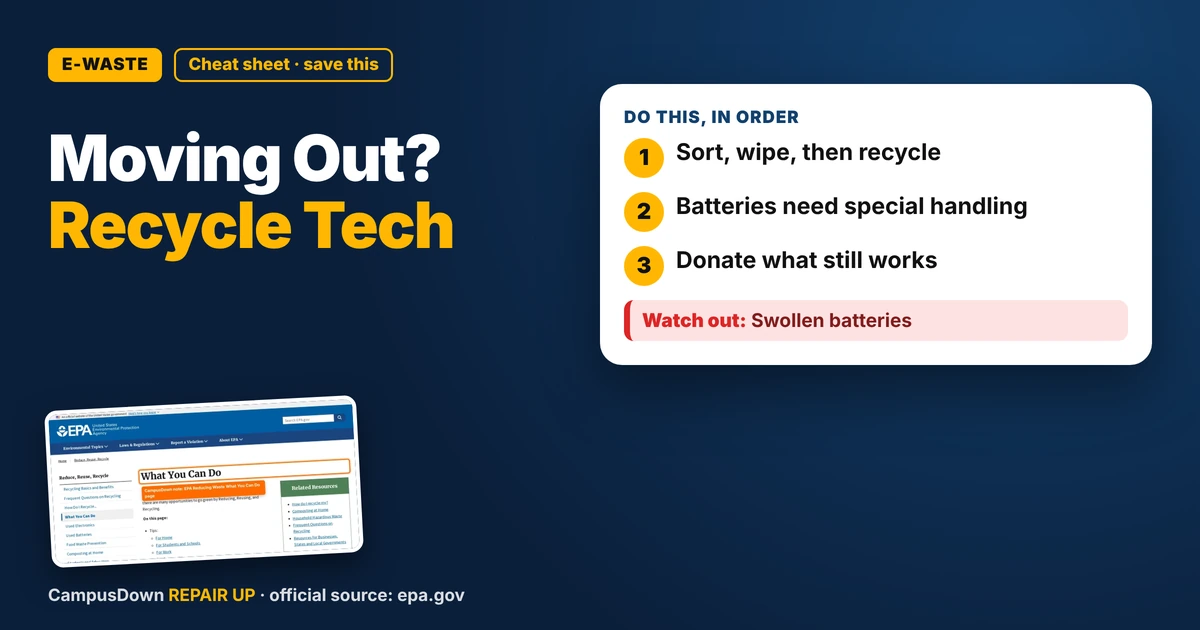
- Sort, wipe, then recycle.
- Batteries need special handling.
- Donate what still works.
Moving out means opening every drawer and finding the archaeology of my student life: dead chargers, an old phone, a laptop with a busted hinge, and earbuds missing their twin. If you're figuring out how to recycle old electronics when moving out, here's how I'd do it without just shoving it all in a trash bag.
Step 1: Sort it
- Things that still work: sell, give away, or donate.
- Things that might be fixable: decide now or let them go.
- Things that are dead: recycle.
Be honest. That cracked tablet is not getting fixed before move-out day.
Step 2: Wipe your data
Before you hand off a phone, laptop, or tablet, back up what you need, sign out of accounts, and do a factory reset. For old drives that don't work, ask the recycler about data handling. Your old photos are none of anyone's business.
Step 3: Handle batteries carefully
Lithium batteries can be a fire risk when damaged. Don't toss them in the trash. Tape the ends of loose batteries, keep swollen devices away from heat, and bring them to a battery or e-waste drop-off.
What the EPA says
The EPA Reducing Waste: What You Can Do page talks about reducing, reusing, and recycling at home, including donating and finding ways to recycle. It's a good reminder that recycling isn't the only option; reuse counts too.
Why we hoard dead tech
We keep things because we paid for them, which is the sunk cost trap. We also value stuff more because it's ours, the endowment effect. And the "I'll deal with it later" plan is procrastination with a cable tangled around it.
Where to drop stuff
- Local e-waste or household hazardous waste events.
- Electronics retailers with take-back programs (check what they accept).
- Campus recycling programs.
- Donation centers for working gear.
Make move-out lighter
Start a week early. Put one box by the door for tech. Snap a photo of anything you sell. And appreciate how much lighter your next move feels when you don't pack trash.
If this saved you a headache, it might save a friend one too.
Pick an app — it just sends the link, nothing else.
Frequently Asked Questions
How do I recycle electronics when moving out?
Sort working and dead items, wipe data, and take dead items to an e-waste drop-off.
Can I throw batteries in the trash?
It's better not to. Lithium batteries can be a fire risk. Use battery recycling.
How do I wipe my phone before recycling?
Back up, sign out of accounts, and do a factory reset.
Where can students recycle electronics?
Campus programs, local e-waste events, and retailer take-back programs.