Robot Vacuum Not Charging on the Dock: Simple Fixes
Robot vacuum won't charge on its dock? Learn how dirty contacts, bad dock spots and tired batteries cause it, what to clean first, and when to call support.
“Almost cried fixing my own house. Learned to read every quote instead.”
Theology · Scripture Cards
Open a scripture card
Already read and shared by 315 people.
 A Fourth Walking in the Fire
Daniel 3:25
He answered, “Look, I see four men loose, walking in the middle of the fire, and they are unharmed. The appearance of the fourth is like a…
Read this card
 The New Covenant in My Blood
Luke 22:19-20
He took bread, and when he had given thanks, he broke and gave it to them, saying, “This is my body which is given for you. Do this in…
Read this card
 God So Loved the World
John 3:16
For God so loved the world, that he gave his only born Son, that whoever believes in him should not perish, but have eternal life.
Read this card
 Unto Us a Child Is Born
Isaiah 9:6
For a child is born to us. A son is given to us; and the government will be on his shoulders. His name will be called Wonderful Counselor…
Read this card
 The God Who Brought You Out
Exodus 20:2
“I am Yahweh your God, who brought you out of the land of Egypt, out of the house of bondage.
Read this card
 I Will Put Breath in You
Ezekiel 37:5-6
The Lord Yahweh says to these bones: “Behold, I will cause breath to enter into you, and you will live. I will lay sinews on you, and will…
Read this card
 Enter His Gates with Thanksgiving
Psalm 100:4-5
Enter into his gates with thanksgiving, and into his courts with praise. Give thanks to him, and bless his name. For Yahweh is good. His…
Read this card
 I Know That My Redeemer Lives
Job 19:25
But as for me, I know that my Redeemer lives. In the end, he will stand upon the earth.
Read this card
Key Takeaways
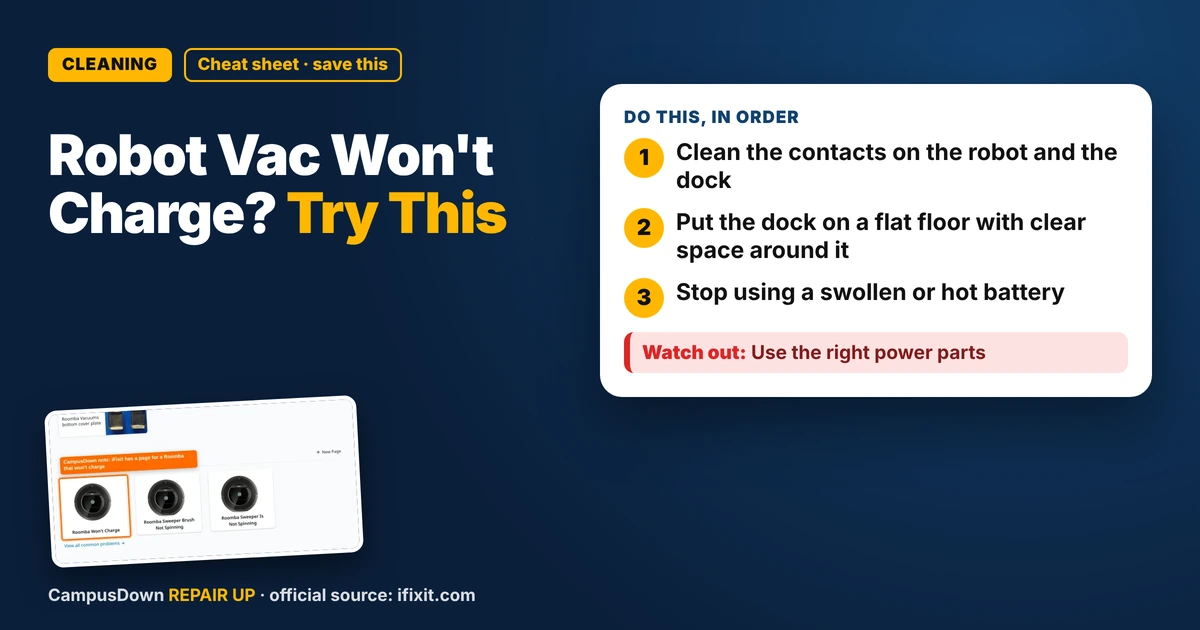
- Clean the contacts on the robot and the dock
- Put the dock on a flat floor with clear space around it
- Stop using a swollen or hot battery
My robot vacuum is the closest thing I have to a pet. It bumps into walls, gets stuck under the couch and I talk to it more than I should. So when it rolled back to the dock and just died there, I took it personally. A robot vacuum not charging on the dock usually comes down to contacts, placement or the battery.
How docking works
The robot backs onto the dock so metal contacts on its bottom touch metal contacts on the dock. Power flows through those contacts into the battery. If dirt, hair or a bad angle breaks that contact, no charge.
It's Ohm's law in a tiny form: dirt and grime add resistance at the contact point, and a gap means no circuit at all.
Clean the contacts first
- Unplug the dock.*
- Wipe the dock contacts and robot contacts* with a dry cloth or slightly damp cloth, then let them dry.
- Remove hair and dust* around the wheels and charging area.
- Check for bent or stuck contacts* on the dock. Some are spring-loaded.
iFixit's Roomba page lists "Roomba Won't Charge" among its common problems. Other brands have similar docking setups, so the same checks often apply.
Dock placement
Robots need room to line up. Put the dock against a wall on a hard, flat surface with open space on the sides and in front. Your manual will list the exact clearance. Avoid thick rugs right in front of it. Make sure the outlet works by plugging in a lamp.
The battery might be tired
Rechargeable batteries wear out over time. If the robot charges but dies fast, or shows a battery error, the battery might be done. Check if your model has a replaceable battery and buy the one the maker lists for it.
NFPA's lithium-ion battery page notes that overheating or fire is more likely when batteries are damaged or improperly used, charged or stored. So skip sketchy no-name batteries, and stop using a swollen or hot battery.
The brain games
Normalcy bias says "it's probably fine, I'll just vacuum by hand for a while." Optimism bias says "it'll charge tomorrow." Spending five minutes cleaning contacts beats weeks of crumbs.
When to call support
If it's under warranty, contact the maker before opening anything. Mention what you tried: cleaned contacts, moved the dock, tested the outlet and reset.
A hypothetical check
Hypothetical: the robot docks but the light never shows charging. You set it on the dock by hand and it starts charging. That points to alignment or dock position, not the battery. If it still won't charge when placed by hand on clean contacts, the dock, power supply or battery is more likely.
Found this helpful? Share it with a friend who’s dealing with the same mess.
Pick an app — it just sends the link, nothing else.
Frequently Asked Questions
Why won't my robot vacuum charge on the dock?
Dirty contacts, bad dock placement or a worn battery are common causes.
How do I clean robot vacuum charging contacts?
Unplug the dock and wipe both sets of contacts with a dry or slightly damp cloth.
Can a rug stop a robot from docking?
Yes. Uneven surfaces can stop it from lining up with the contacts.
When should I replace a robot vacuum battery?
When it charges but dies quickly, shows battery errors, or swells or gets hot.