My Dorm Wi-Fi Was So Slow I Couldn't Submit an Assignment. Here's What Helped
Slow Wi-Fi in your dorm room? Test the right way, pick the best campus network band, fix device settings, and report problems to campus IT with useful details.
“Almost cried fixing my own house. Learned to read every quote instead.”
Theology · Scripture Cards
Open a scripture card
Already read and shared by 315 people.
 Not My Will, but Yours
Luke 22:42
saying, “Father, if you are willing, remove this cup from me. Nevertheless, not my will, but yours, be done.”
Read this card
 I Will Put Breath in You
Ezekiel 37:5-6
The Lord Yahweh says to these bones: “Behold, I will cause breath to enter into you, and you will live. I will lay sinews on you, and will…
Read this card
 I Am the Resurrection and the Life
John 11:25-26
Jesus said to her, “I am the resurrection and the life. He who believes in me will still live, even if he dies. Whoever lives and believes…
Read this card
 Surely I Will Be with You
Judges 6:16
Yahweh said to him, “Surely I will be with you, and you shall strike the Midianites as one man.”
Read this card
 I Am with You
Genesis 28:15
Behold, I am with you, and will keep you, wherever you go, and will bring you again into this land. For I will not leave you until I have…
Read this card
 The Lord Will Provide
Genesis 22:14
Abraham called the name of that place “Yahweh Will Provide”. As it is said to this day, “On Yahweh’s mountain, it will be provided.”
Read this card
 Twelve Baskets Left Over
John 6:11, 13
Jesus took the loaves, and having given thanks, he distributed to the disciples, and the disciples to those who were sitting down, likewise…
Read this card
 Take Heart, It Is I
Matthew 14:27, 31
But immediately Jesus spoke to them, saying, “Cheer up! It is I! Don’t be afraid.” … Immediately Jesus stretched out his hand, took hold of…
Read this card
Key Takeaways
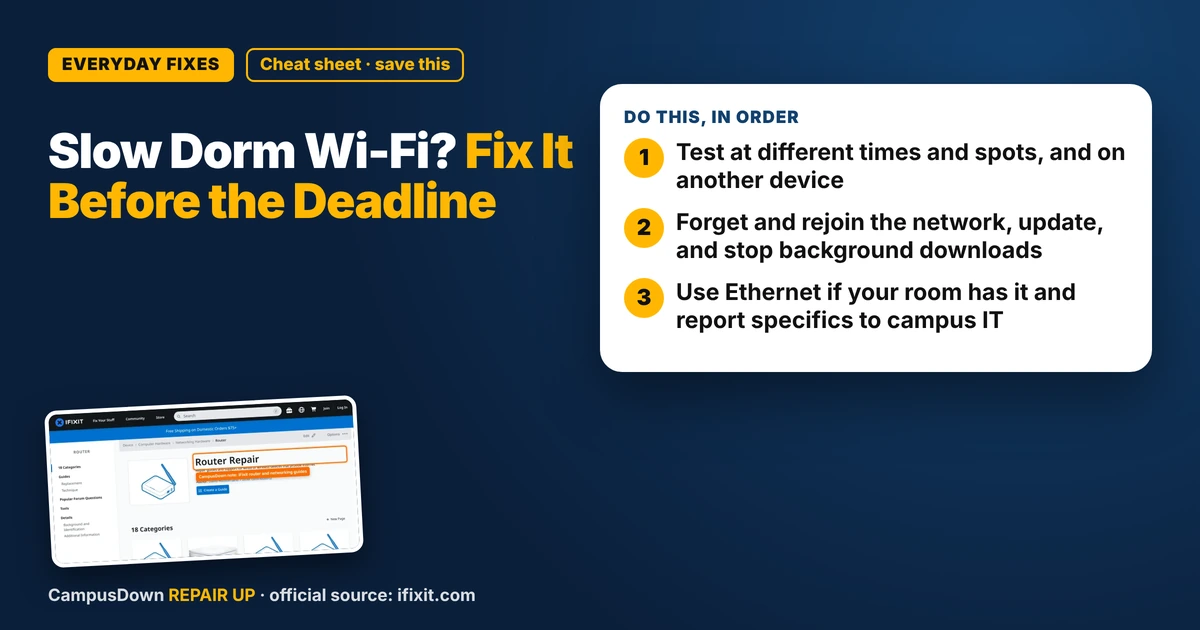
- Test at different times and spots, and on another device.
- Forget and rejoin the network, update, and stop background downloads.
- Use Ethernet if your room has it and report specifics to campus IT.
Upload bar at 97%. Then 97%. Then "Network error." If you've got slow Wi-Fi in your dorm room, you're probably sharing the network with hundreds of people streaming, gaming and doing video calls at the same time. You can't fix the whole campus network, but you can fix a surprising amount on your end.
First, test the right way
Before blaming the network, get a quick picture:
- Run a speed test at a few different times of day.
- Test in different spots: your desk, near the door, in the hallway.
- Test on a second device. If your roommate's laptop is fine and yours isn't, the problem may be your device.
Write down the results. It's tempting to lean on confirmation bias and say "the Wi-Fi always sucks," but specifics help you, and they help campus IT.
iFixit's router repair page covers home routers and networking gear. It's useful background for understanding what's actually broadcasting the signal, even though in a dorm the access points belong to the school.
Fixes on your device
- Forget and rejoin the network.* It clears old settings and certificates that sometimes cause trouble on campus networks.
- Update your operating system and Wi-Fi drivers.*
- Turn off VPNs or background downloads* you don't need right now. Cloud sync, game updates and video uploads eat bandwidth quietly.
- Try the other band if your campus offers it.* Some networks show separate names for 2.4 GHz and 5 GHz. The 5 GHz band is often faster at short range; 2.4 GHz reaches farther through walls.
- Restart your laptop* (a real restart, not just closing the lid).
Don't bring your own router (unless allowed)
Many universities ban personal routers in dorms because they interfere with the campus network. Check your housing or IT rules first. Some schools offer a wired Ethernet port in each room, which is often faster and more stable than Wi-Fi. A cheap Ethernet cable or adapter can change your life.
When to report it to campus IT
If it's slow for everyone on your floor, or it drops constantly, report it. Include:
- Your building and room number
- Times and dates it was slow
- Speed test screenshots
- Your device type and whether other devices have the same issue
That level of detail gets problems fixed faster. Help desks deal with a lot of "the internet is bad" tickets. Be the specific one.
Study plan B
Have a backup for deadlines: a library spot, a campus computer lab, or your phone's hotspot (watch your data limits). Planning fallacy says you'll always think you have enough time before a deadline. Leave a buffer for Wi-Fi drama. And keep in mind the Yerkes-Dodson law: a bit of pressure helps you focus, but a midnight network meltdown is not the useful kind.
Know someone staring at a repair right now? Send this their way.
Pick an app — it just sends the link, nothing else.
Frequently Asked Questions
Why is my dorm Wi-Fi so slow?
Many users share the same access points, especially in the evening. Distance and walls from the access point, device settings, and background downloads also slow things down.
Can I use my own router in a dorm?
Many schools ban personal routers because they interfere with the campus network. Check your housing or IT policy first.
Is Ethernet faster than Wi-Fi in a dorm?
Often yes, it's usually faster and more stable. Look for an Ethernet port in your room.
What should I tell campus IT about slow Wi-Fi?
Your building, room, times it was slow, speed test screenshots and device details.