I Knocked Iced Coffee Onto My Laptop at 1 AM. Here's the Damage Control
Spilled coffee on your laptop keyboard? Here's what to do in the first minutes, what not to do, and when a sticky keyboard needs a repair shop.
“Almost cried fixing my own house. Learned to read every quote instead.”
Theology · Scripture Cards
Open a scripture card
Already read and shared by 315 people.
 Bread from Heaven
Exodus 16:4
Then Yahweh said to Moses, “Behold, I will rain bread from the sky for you, and the people shall go out and gather a day’s portion every…
Read this card
 The Jar Was Not Empty
1 Kings 17:14, 16
For Yahweh, the God of Israel, says, ‘The jar of meal will not run out, and the jar of oil will not fail, until the day that Yahweh sends…
Read this card
 God Shut the Lions’ Mouths
Daniel 6:22
My God has sent his angel, and has shut the lions’ mouths, and they have not hurt me, because innocence was found in me before him; and…
Read this card
 The God Who Brought You Out
Exodus 20:2
“I am Yahweh your God, who brought you out of the land of Egypt, out of the house of bondage.
Read this card
 Listen to Him
Matthew 17:5
While he was still speaking, behold, a bright cloud overshadowed them. Behold, a voice came out of the cloud, saying, “This is my beloved…
Read this card
 In the Name of the Lord
1 Samuel 17:45, 47
Then David said to the Philistine, “You come to me with a sword, with a spear, and with a javelin; but I come to you in the name of Yahweh…
Read this card
 Daughter, Your Faith Has Healed You
Mark 5:34
He said to her, “Daughter, your faith has made you well. Go in peace, and be cured of your disease.”
Read this card
 I AM WHO I AM
Exodus 3:14
God said to Moses, “I AM WHO I AM,” and he said, “You shall tell the children of Israel this: ‘I AM has sent me to you.’ ”
Read this card
Key Takeaways
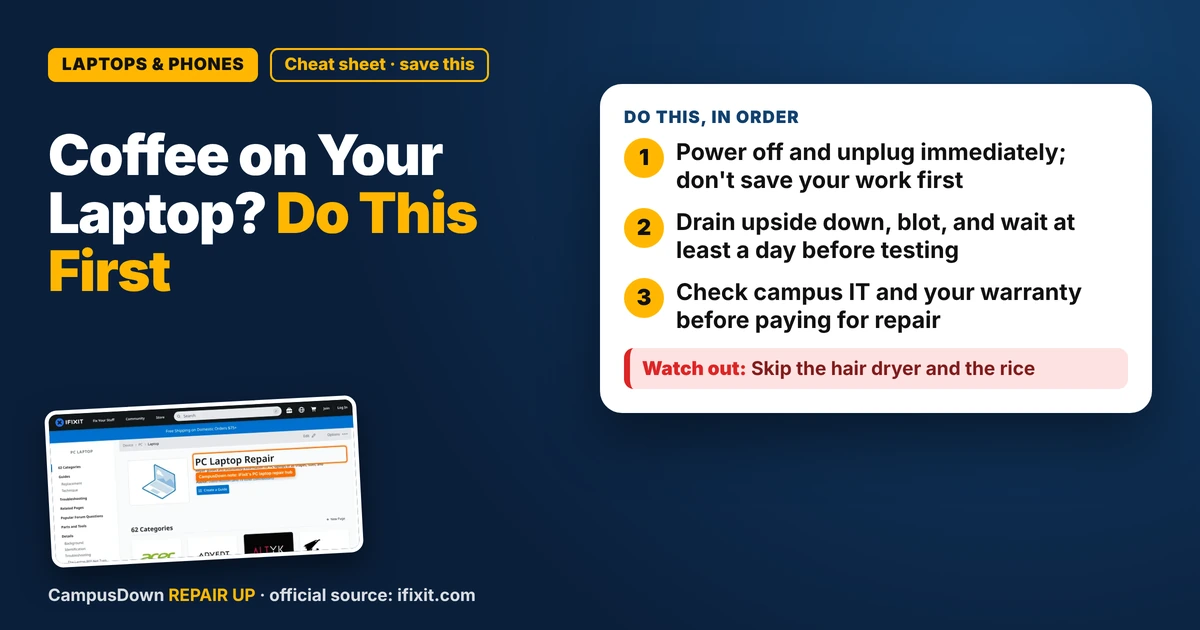
- Power off and unplug immediately; don't save your work first.
- Drain upside down, blot, and wait at least a day before testing.
- Check campus IT and your warranty before paying for repair.
Picture it: essay due at 9, cold brew in hand, elbow goes one way and the cup goes the other. If you just spilled coffee on your laptop keyboard and you're wondering what to do, take a breath and move fast. The first few minutes matter more than anything you Google after.
Minute one: kill the power
Liquid plus electricity is the problem, so the move is to cut the power right away. Hold the power button until it shuts off, unplug the charger, and if your laptop has a removable battery, pull it. Don't wait to save your doc. Most apps autosave, and your motherboard can't.
It's basic Ohm's law energy: coffee isn't pure water, it has sugar, milk and minerals that let current wander where it shouldn't. A powered board sitting in sticky liquid is the worst combo.
Minute two: flip it and drain
- Open it wide and turn it upside down* in a tent shape so liquid drains away from the inside, not deeper into it.
- Blot, don't wipe.* Use a paper towel or a lint-free cloth to soak up what you can see.
- Unplug everything:* USB drives, mouse, headphones.
- Leave it off.* No "just checking if it turns on." That check can be the thing that fries it.
If you want to see what's actually under your keys, the iFixit laptop repair hub has teardown guides by brand and model. Even if you never open it, looking at your model's guide helps you understand what a shop is talking about.
Day one and two: dry time and honest decisions
Give it real time to dry, ideally a day or more in a dry spot with air moving. The urge to test it early is huge. That's the planning fallacy talking: you think "it'll be fine in an hour" because you need it to be fine in an hour.
When you do power it on, watch for:
- Keys that stick, repeat, or don't register.
- A trackpad that acts possessed.
- Weird smells, heat, or the screen flickering. If you smell burning, shut it down and stop.
Coffee with sugar or milk tends to leave residue even after it dries, which is why keys get crunchy. Sometimes a careful keycap cleaning fixes it. Sometimes the liquid reached the board and only a cleaning by a repair shop will help.
Where to get it looked at without going broke
- Campus IT help desk:* a lot of schools offer free diagnostics for students. Ask before you pay anyone.
- Warranty or accident coverage:* check if your laptop came with accidental damage protection. Many standard warranties don't cover spills, so read yours.
- Independent repair shop:* ask for a diagnosis first, and get the price for cleaning versus replacing the keyboard.
Before you sink cash into it, think about opportunity cost. If a repair quote is close to the price of a decent used laptop, the math might point the other way. Don't let sunk cost feelings ("but I've had it since freshman year") make the call.
Found this helpful? Share it with a friend who’s dealing with the same mess.
Pick an app — it just sends the link, nothing else.
Frequently Asked Questions
Should I turn my laptop on after spilling coffee on it?
No. Shut it down, unplug it, and let it dry fully before trying. Powering on wet electronics can cause short circuits.
Does putting a laptop in rice work?
Rice doesn't pull moisture out well and can leave dust in ports. Draining it upside down with airflow is the better move.
How long should a laptop dry after a spill?
Give it at least a full day in a dry, airy spot. Sugary drinks may still need professional cleaning.
Will my warranty cover a coffee spill?
Many standard warranties exclude liquid damage. Check whether you have accidental damage coverage.