My Switch Worked in Handheld but the TV Showed Nothing
Switch dock no TV signal? Check the plug order, the official adapter, HDMI cable and port, and the dock settings, and when the dock or console needs repair.
“Almost cried fixing my own house. Learned to read every quote instead.”
Theology · Scripture Cards
Open a scripture card
Already read and shared by 315 people.
 Peace, Be Still
Mark 4:39, 41
He awoke and rebuked the wind, and said to the sea, “Peace! Be still!” The wind ceased and there was a great calm. … They were greatly…
Read this card
 The Lord Is My Shepherd
Psalm 23:1, 4
Yahweh is my shepherd; I shall lack nothing. … Even though I walk through the valley of the shadow of death, I will fear no evil, for you…
Read this card
 This Is My Beloved Son
Matthew 3:16-17
Jesus, when he was baptized, went up directly from the water: and behold, the heavens were opened to him. He saw the Spirit of God…
Read this card
 The Jar Was Not Empty
1 Kings 17:14, 16
For Yahweh, the God of Israel, says, ‘The jar of meal will not run out, and the jar of oil will not fail, until the day that Yahweh sends…
Read this card
 The Sun of Righteousness
Malachi 4:2
But to you who fear my name shall the sun of righteousness arise with healing in its wings. You will go out and leap like calves of the…
Read this card
 The Rainbow Covenant
Genesis 9:13, 16
I set my rainbow in the cloud, and it will be a sign of a covenant between me and the earth. … The rainbow will be in the cloud. I will…
Read this card
 He Revealed His Glory
John 2:11
This beginning of his signs Jesus did in Cana of Galilee, and revealed his glory; and his disciples believed in him.
Read this card
 The God Who Brought You Out
Exodus 20:2
“I am Yahweh your God, who brought you out of the land of Egypt, out of the house of bondage.
Read this card
Key Takeaways
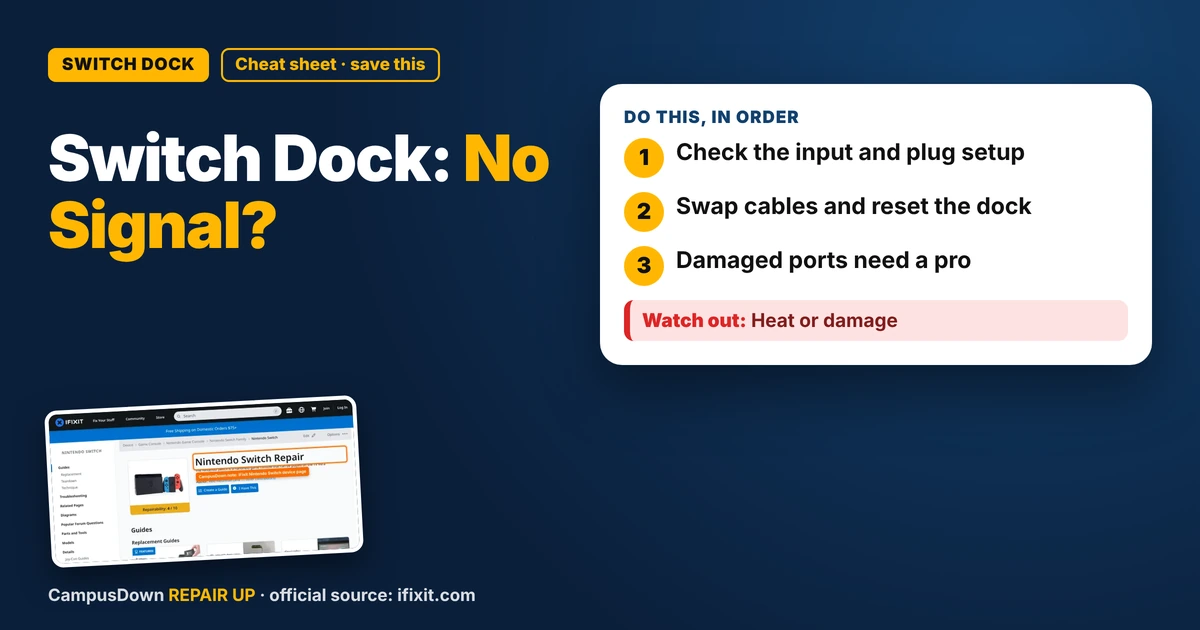
- Check the input and plug setup.
- Swap cables and reset the dock.
- Damaged ports need a pro.
Couch co-op is my favorite cheap date idea: snacks, a game, and lots of trash talk. But the TV said no signal when I docked my Switch. If your Switch dock shows no TV signal, here's what I'd check before thinking the console is done.
Step 1: Use the right setup
- Plug the dock into the wall with the official power adapter if you have it.
- Plug the HDMI cable from the dock to the TV.
- Then dock the Switch.
Some people find the order matters. Follow your model's official guidance.
Step 2: Check the TV input
Cycle through inputs on the TV. Make sure it's on the HDMI port with the dock cable.
Step 3: Swap cables and ports
Try a different HDMI cable and a different port on the TV. Cables get bent behind TV stands.
Step 4: Reset the dock
Unplug everything for a bit: power and HDMI. Then plug back in and try again. Some docks reset just from a power cycle.
Where to look for repair info
The iFixit Nintendo Switch device page has repair guides and troubleshooting for the Switch and its parts. If the USB-C port is damaged, it's a repair that might need a pro.
Why I panicked
A blank screen made me assume my console was dead, which is negativity bias. Most of the time it's cables or setup, Occam's razor. And buying a third-party dock immediately would've been a sunk cost mistake if the real issue was the cable.
When to get help
- It doesn't work on multiple TVs.
- The console doesn't charge in the dock.
- The USB-C port is loose or bent.
- The dock smells like burning.
Co-op night backup
Keep an extra HDMI cable around, charge the controllers, and have a handheld game ready if all else fails. And honestly, a good snack spread makes up for a lot.
Found this helpful? Share it with a friend who’s dealing with the same mess.
Pick an app — it just sends the link, nothing else.
Frequently Asked Questions
Why won't my Switch dock show on the TV?
Common causes are the wrong input, cable problems, the adapter, or setup order.
Do I need the official Switch adapter?
Many docks work best with the official adapter. Check official guidance.
How do I reset a Switch dock?
Unplug power and HDMI for a bit, then plug back in.
Can a Switch USB-C port be repaired?
Often, but it may need a professional.