My Free Hand-Me-Down TV Flickers Like a Haunted House
A TV screen flickering can come from cables, settings, power, or the source. Easy checks to try before you replace a cheap hand-me-down TV on a budget.
“Almost cried fixing my own house. Learned to read every quote instead.”
Theology · Scripture Cards
Open a scripture card
Already read and shared by 315 people.
 The Rainbow Covenant
Genesis 9:13, 16
I set my rainbow in the cloud, and it will be a sign of a covenant between me and the earth. … The rainbow will be in the cloud. I will…
Read this card
 Your God, My God
Ruth 1:16
Ruth said, “Don’t urge me to leave you, and to return from following you, for where you go, I will go; and where you stay, I will stay.…
Read this card
 I Am with You Always
Matthew 28:20
teaching them to observe all things that I commanded you. Behold, I am with you always, even to the end of the age.” Amen.
Read this card
 While He Was Still a Long Way Off
Luke 15:20, 22
“He arose and came to his father. But while he was still far off, his father saw him and was moved with compassion, and ran, fell on his…
Read this card
 This Is My Beloved Son
Matthew 3:16-17
Jesus, when he was baptized, went up directly from the water: and behold, the heavens were opened to him. He saw the Spirit of God…
Read this card
 Listen to Him
Matthew 17:5
While he was still speaking, behold, a bright cloud overshadowed them. Behold, a voice came out of the cloud, saying, “This is my beloved…
Read this card
 Enter His Gates with Thanksgiving
Psalm 100:4-5
Enter into his gates with thanksgiving, and into his courts with praise. Give thanks to him, and bless his name. For Yahweh is good. His…
Read this card
 I Know That My Redeemer Lives
Job 19:25
But as for me, I know that my Redeemer lives. In the end, he will stand upon the earth.
Read this card
Key Takeaways
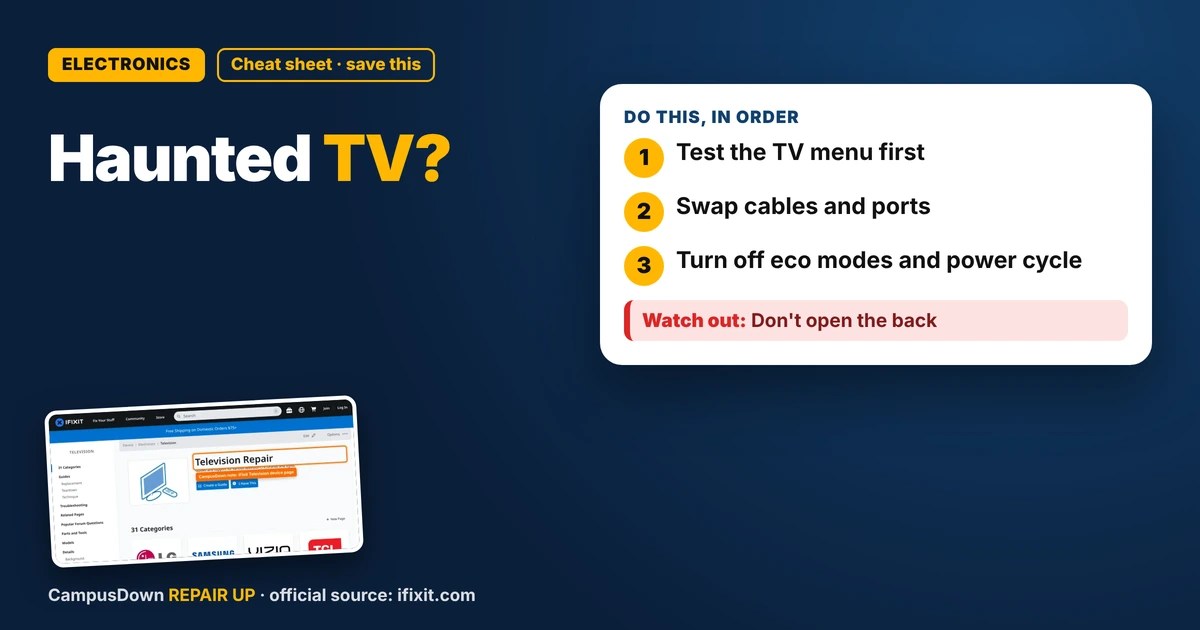
- Test the TV menu first.
- Swap cables and ports.
- Turn off eco modes and power cycle.
My TV was a gift from a graduating senior who said, quote, "it mostly works." Mostly. During a movie the screen started flickering, dimming and brightening like a ghost was messing with it. If your TV screen is flickering, here's what I checked before giving up on my free TV.
Step 1: Is it the TV or the source?
- Switch to a different input or the TV's built-in menu.
- If the menu is steady, the problem is likely the source or cable.
- If the menu flickers too, it's more likely the TV.
Step 2: Cables
Reseat the HDMI cable on both ends. Try a different cable and a different port. Cheap or bent cables cause a surprising amount of weirdness.
Step 3: Settings
Look for energy-saving or "eco" modes, or an automatic brightness sensor. These can dim the screen in a way that looks like flicker. Turn them off and test.
Step 4: Power
Plug the TV straight into the wall instead of a crowded power strip. Do a full power cycle: unplug for a minute, then plug back in.
What iFixit shows
The iFixit Television page collects troubleshooting and repair guides for many TV models. It helped me separate the easy checks from the stuff that needs opening the TV.
Repair vs. replace
For a free TV, repair costs can get silly fast. Think about the opportunity cost: is your money better spent on a used TV than a repair? And don't keep pouring cash in just because it was a gift, that's endowment effect talking.
Why I ignored it
The flicker started small. I got used to it, hedonic adaptation at work. It took a movie night with company for me to admit it was bad.
If you replace it
- Check campus groups and local listings for used TVs.
- Test it before you carry it home.
- Recycle the old one through local e-waste, not the dumpster.
Quick checklist
Input test, cable swap, eco mode off, wall outlet, power cycle. Five things, maybe fifteen minutes, all free.
If it's still flickering
At that point the issue is probably inside, like the backlight or power board. That's a job for a repair shop, or it's time to say goodbye.
Movie night backup
A laptop on a stack of books and a decent speaker isn't glamorous, but it saves the night. Nobody's grading the setup.
Found this helpful? Share it with a friend who’s dealing with the same mess.
Pick an app — it just sends the link, nothing else.
Frequently Asked Questions
Why is my TV screen flickering?
Loose cables, power-saving settings, a bad source, or an internal fault are common causes.
How do I tell if it's the TV or the cable?
Check the TV's own menu. If it's steady, the cable or source is likely the issue.
Should I open my TV to fix it?
No. TVs can hold a charge. Leave internal repairs to a pro.
Is it worth repairing an old TV?
Often not if it's cheap or free. Compare with used replacements.