The Lights Blinked and Came Back. Now What?
What to check after a power surge in a small apartment: unplug the expensive stuff, test outlets, check the breaker, and know when it's a landlord call.
“Almost cried fixing my own house. Learned to read every quote instead.”
Theology · Scripture Cards
Open a scripture card
Already read and shared by 315 people.
 Take Heart, It Is I
Matthew 14:27, 31
But immediately Jesus spoke to them, saying, “Cheer up! It is I! Don’t be afraid.” … Immediately Jesus stretched out his hand, took hold of…
Read this card
 God Shut the Lions’ Mouths
Daniel 6:22
My God has sent his angel, and has shut the lions’ mouths, and they have not hurt me, because innocence was found in me before him; and…
Read this card
 He Revealed His Glory
John 2:11
This beginning of his signs Jesus did in Cana of Galilee, and revealed his glory; and his disciples believed in him.
Read this card
 Twelve Baskets Left Over
John 6:11, 13
Jesus took the loaves, and having given thanks, he distributed to the disciples, and the disciples to those who were sitting down, likewise…
Read this card
 The Lord Will Provide
Genesis 22:14
Abraham called the name of that place “Yahweh Will Provide”. As it is said to this day, “On Yahweh’s mountain, it will be provided.”
Read this card
 The Lord, He Is God
1 Kings 18:38-39
Then Yahweh’s fire fell and consumed the burnt offering, the wood, the stones, and the dust; and it licked up the water that was in the…
Read this card
 I Am with You Always
Matthew 28:20
teaching them to observe all things that I commanded you. Behold, I am with you always, even to the end of the age.” Amen.
Read this card
 I Know That My Redeemer Lives
Job 19:25
But as for me, I know that my Redeemer lives. In the end, he will stand upon the earth.
Read this card
Key Takeaways
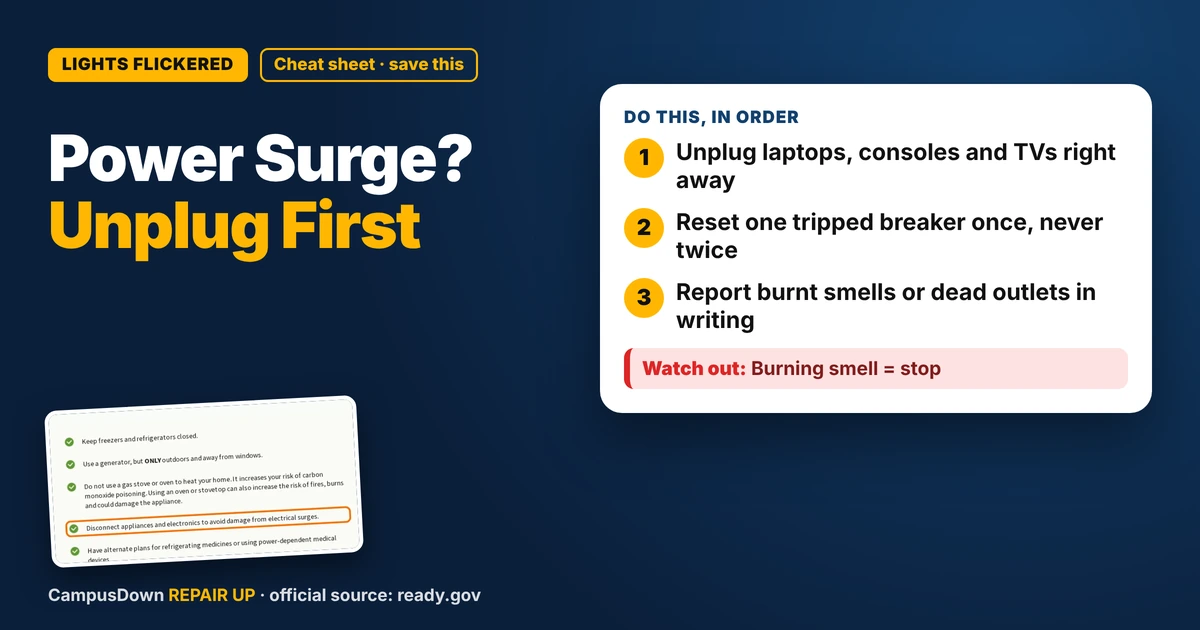
- Unplug laptops, consoles and TVs right away
- Reset one tripped breaker once, never twice
- Report burnt smells or dead outlets in writing
Picture it: you're three episodes deep into a cozy anime, instant noodles steaming, and the whole apartment goes blip. Lights die, the fridge goes quiet, your router blinks like it's having an existential crisis. Then everything comes back. So what do you check after a power surge, before you just shrug and hit play again?
First: unplug the things you can't afford to replace
When power is flickering or just went out and came back, the smart move is to pull the plugs on your electronics. The federal preparedness site Ready.gov's power outage page says to disconnect appliances and electronics to avoid damage from electrical surges. That's the whole move. Laptop charger, gaming console, TV, desktop tower, the space heater you swear you only use "sometimes."
Leave one lamp switched on so you can tell when steady power is back. Then plug things back in one at a time instead of all at once like a Black Friday stampede.
Walk the apartment like a detective
Once the lights are stable, do a slow lap. You're looking for anything weird, not doing electrician work.
- Smell:* a hot plastic or burning smell near an outlet or power strip is a stop sign.
- Outlets:* look for scorch marks or a faceplate that feels warm.
- Power strip:* if it has a reset button or a little indicator light that's now off, note it.
- Fridge and freezer:* listen for the hum. Keep the door shut while you check everything else.
- Router and modem:* they often need a full restart after a blip anyway.
If something smells burnt, don't plug anything back into that outlet. Text your landlord a photo and a short note with the time it happened.
The breaker box (only the easy part)
If one room is dead and the rest of the apartment is fine, a breaker may have tripped. Many apartments have a small panel in a hallway or closet. A tripped breaker usually sits in the middle position or looks out of line with the others. Flipping it fully off and then back on is the normal reset.
Here's my rule: one reset, that's it. If it trips again right away, something is pulling too much power or there's a fault, and that's a licensed electrician or landlord problem. Do not open the panel cover. Ever. That's not a TikTok life hack moment.
Test your devices without panicking
Turn the laptop on while it's on battery first. If it boots and charges once you plug it back in, you're probably good. Same idea with the console: power on, check it reaches the home screen, check the controller connects.
For a monitor or TV that won't turn on, try a different outlet before assuming it's dead. Sometimes the outlet or strip is the problem, not the screen. That one swap can save you from ordering something you didn't need.
Why we all ignore the flicker
Lights blink, everything comes back, and our brain goes "nothing happened, carry on." That's normalcy bias doing its thing: assuming tomorrow will look like today. Add a little optimism bias ("my stuff is fine, it's always fine") and nobody unplugs anything until something actually breaks.
If you want the nerdy version of why a power strip gets hot, look up Ohm's law. More current through the same resistance means more heat, which is why daisy-chaining a space heater into a cheap strip is a bad idea. And if you keep telling yourself you'll "deal with the sketchy outlet later," that's classic procrastination wearing a hoodie.
When it's the landlord's job
You can unplug, reset one breaker, and swap outlets. Anything else is outside renter territory:
- outlets that stay dead after a breaker reset
- breakers that keep tripping
- scorch marks, buzzing, or a warm faceplate
- lights that dim every time the fridge kicks on
Send a dated message with photos. Keep it chill and factual, like "Outlet by the desk smells burnt after the outage at 9 pm, I've unplugged everything from it." Having it in writing helps if anything else goes wrong later.
A budget surge plan for next time
You don't need a fancy setup. Know where your breaker panel is before you need it. Keep a flashlight or a charged power bank by the bed. Put your laptop and router on a power strip you can unplug in one move. And when the next storm warning pops up on your phone, unplug the expensive stuff before you go to sleep.
Know someone staring at a repair right now? Send this their way.
Pick an app — it just sends the link, nothing else.
Frequently Asked Questions
Should I unplug everything after a power surge?
Unplugging electronics while power is unstable is what Ready.gov suggests. Plug them back in one at a time once power is steady.
How do I know if a power surge damaged my laptop?
Try it on battery, then plugged in. If it won't boot or charge, try another outlet and charger before assuming the worst.
Can I reset a tripped breaker in my apartment?
Usually yes, one time. If it trips again or smells hot, stop and contact your landlord or an electrician.
What if an outlet smells burnt after the outage?
Leave it unplugged, take a photo, and report it in writing right away.