My Laptop Showed a Black Screen the Night Before a Deadline
Windows laptop won't boot right before a deadline? Check power, the charger, external devices, and recovery options, and protect your files going forward.
“Almost cried fixing my own house. Learned to read every quote instead.”
Theology · Scripture Cards
Open a scripture card
Already read and shared by 315 people.
 The Rainbow Covenant
Genesis 9:13, 16
I set my rainbow in the cloud, and it will be a sign of a covenant between me and the earth. … The rainbow will be in the cloud. I will…
Read this card
 God So Loved the World
John 3:16
For God so loved the world, that he gave his only born Son, that whoever believes in him should not perish, but have eternal life.
Read this card
 While He Was Still a Long Way Off
Luke 15:20, 22
“He arose and came to his father. But while he was still far off, his father saw him and was moved with compassion, and ran, fell on his…
Read this card
 The God Who Brought You Out
Exodus 20:2
“I am Yahweh your God, who brought you out of the land of Egypt, out of the house of bondage.
Read this card
 Bread from Heaven
Exodus 16:4
Then Yahweh said to Moses, “Behold, I will rain bread from the sky for you, and the people shall go out and gather a day’s portion every…
Read this card
 Salvation Is of the Lord
Jonah 2:6, 9
I went down to the bottoms of the mountains. The earth barred me in forever; yet you have brought my life up from the pit, Yahweh my God. ……
Read this card
 I Will Put Breath in You
Ezekiel 37:5-6
The Lord Yahweh says to these bones: “Behold, I will cause breath to enter into you, and you will live. I will lay sinews on you, and will…
Read this card
 Daughter, Your Faith Has Healed You
Mark 5:34
He said to her, “Daughter, your faith has made you well. Go in peace, and be cured of your disease.”
Read this card
Key Takeaways
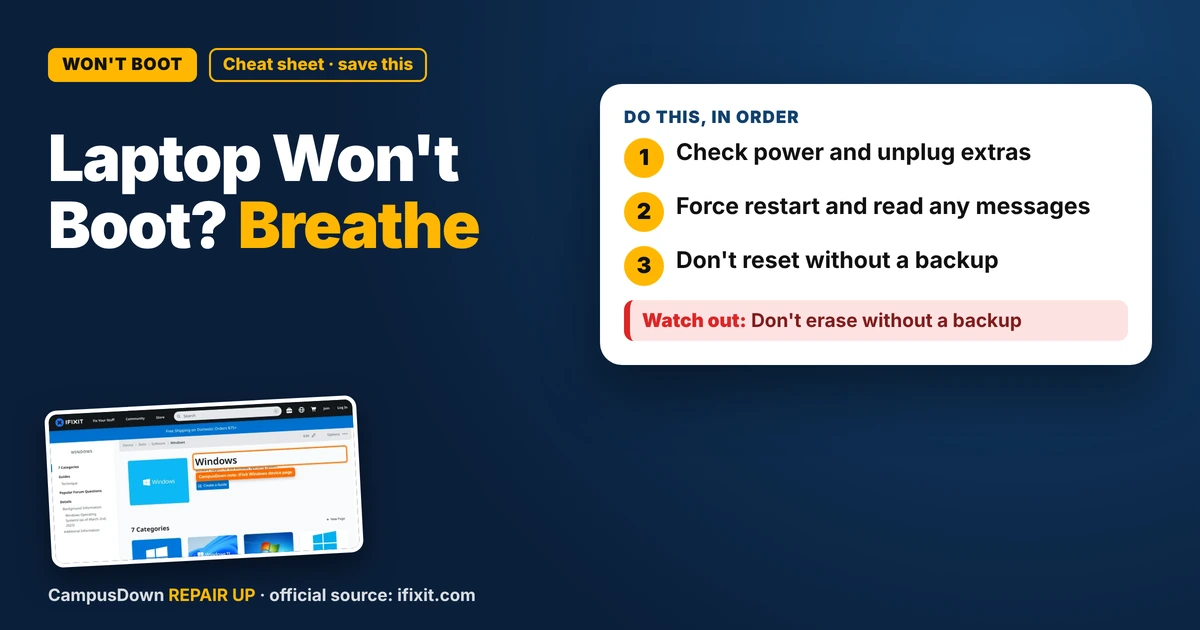
- Check power and unplug extras.
- Force restart and read any messages.
- Don't reset without a backup.
Every student has had this nightmare: the paper is due in the morning, and the laptop just won't start. If your Windows laptop won't boot, take a breath. Some causes are simple, and some need a pro, but going step by step beats smashing keys.
Step 1: Check power
- Plug in the charger and look for a charging light.
- Try a different outlet.
- Check the cable for damage.
- Leave it charging a bit, then try again.
Step 2: Disconnect extras
Unplug USB drives, external monitors, and docks. Sometimes the laptop tries to boot from the wrong device or gets stuck on a peripheral.
Step 3: Force restart
Hold the power button for a long press until it shuts off fully. Wait, then turn it back on. This can clear a stuck state.
Step 4: Watch for messages
If you see a logo, an error, or an automatic repair screen, note what it says. Windows has built-in recovery options. If you get to them, look for things like startup repair or safe mode. Be careful with options that reset or erase the PC.
Where to look for help
The iFixit Windows device page collects troubleshooting and repair guides related to Windows devices and software issues. For your exact laptop model, the manufacturer's support site is worth checking too.
Why panic makes it worse
When stress spikes, we hit random buttons and click "reset" without reading. That's negativity bias running the show. We also think "I'll back up later," which is optimism bias. And the planning fallacy is why I started that paper with way less time than I needed.
When to get a repair
- No lights at all, even on the charger.
- It powers on but shows nothing on screen.
- You hear clicking or grinding.
- Errors repeat after recovery steps.
Save the deadline
Email your professor early and honestly if your laptop died. Use a campus computer or library laptop if available. And going forward, keep your work in a cloud folder that syncs automatically.
Know someone staring at a repair right now? Send this their way.
Pick an app — it just sends the link, nothing else.
Frequently Asked Questions
Why won't my Windows laptop boot?
Causes include power issues, a stuck state, external devices, or software or hardware problems.
How do I force restart a laptop?
Hold the power button until it shuts off, wait, then turn it back on.
Will startup repair delete my files?
Startup repair usually doesn't, but reset options can. Read carefully and back up if possible.
Where can students get laptop help?
Check your campus IT help desk and the manufacturer's support site.