Half My Music Disappeared. Here's How I Figured Out My Headphones
Wired headphones with one side not working? Test the jack, the source, and the cable, check mono and balance settings, and see when a fix is worth it.
“Almost cried fixing my own house. Learned to read every quote instead.”
Theology · Scripture Cards
Open a scripture card
Already read and shared by 315 people.
 I AM WHO I AM
Exodus 3:14
God said to Moses, “I AM WHO I AM,” and he said, “You shall tell the children of Israel this: ‘I AM has sent me to you.’ ”
Read this card
 The Jar Was Not Empty
1 Kings 17:14, 16
For Yahweh, the God of Israel, says, ‘The jar of meal will not run out, and the jar of oil will not fail, until the day that Yahweh sends…
Read this card
 Look and Live
Numbers 21:8-9
Yahweh said to Moses, “Make a venomous snake, and set it on a pole. It shall happen that everyone who is bitten, when he sees it, shall…
Read this card
 Take Heart, It Is I
Matthew 14:27, 31
But immediately Jesus spoke to them, saying, “Cheer up! It is I! Don’t be afraid.” … Immediately Jesus stretched out his hand, took hold of…
Read this card
 Peace, Be Still
Mark 4:39, 41
He awoke and rebuked the wind, and said to the sea, “Peace! Be still!” The wind ceased and there was a great calm. … They were greatly…
Read this card
 Let There Be Light
Genesis 1:3-4
God said, “Let there be light,” and there was light. God saw the light, and saw that it was good. God divided the light from the darkness.
Read this card
 The Sun of Righteousness
Malachi 4:2
But to you who fear my name shall the sun of righteousness arise with healing in its wings. You will go out and leap like calves of the…
Read this card
 The Lord Will Fight for You
Exodus 14:13-14
Moses said to the people, “Don’t be afraid. Stand still, and see the salvation of Yahweh, which he will work for you today; for you will…
Read this card
Key Takeaways
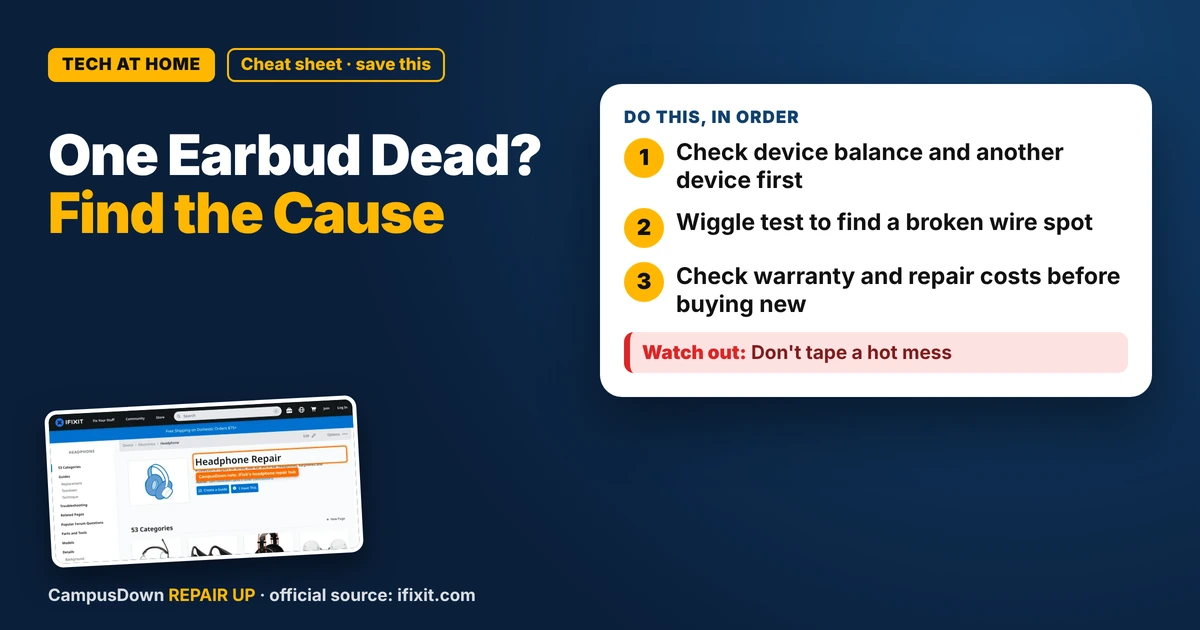
- Check device balance and another device first.
- Wiggle test to find a broken wire spot.
- Check warranty and repair costs before buying new.
You put your headphones in and suddenly the beat drops in only one ear. If your wired headphones have one side not working, the problem might not be the headphones at all. Before you buy new ones, run these checks. Some are free and take thirty seconds.
Check the source first
- Try another device.* Plug into a different phone, laptop or the library computer. If both sides work there, the problem is your device, not the headphones.
- Check balance settings.* Phones and computers have audio balance sliders in accessibility or sound settings. If it's slid to one side, that's your answer.
- Check mono audio.* Some settings mix audio to mono, which can sound weird if one side is weaker.
Check the jack and the port
- Push the plug all the way in.* Phone cases sometimes stop the plug from seating fully. Try without the case.
- Clean the port.* Lint gets in headphone jacks too. Power off and use a flashlight. Lift lint out with a wooden toothpick, not metal.
- Wiggle test.* Plug in, play music and gently wiggle the cable near the plug, then near the earbud. If sound cuts in and out, you've found the weak spot.
This is just good experimental design: change one thing at a time so you know what actually fixed it.
The iFixit headphone hub has troubleshooting and repair guides by brand, including fixing broken wires and replacing jacks. Great for seeing how your pair is built.
Why it usually breaks
Most wired headphones fail at stress points: where the cable meets the plug or where it enters the earbud. Wrapping the cable tightly around your phone, yanking it out by the cord, or sleeping on it all add stress. The wires inside are thin, and bending them repeatedly breaks them. That's Ohm's law in daily life: a broken or barely-connected wire means the signal can't get through.
Is it worth fixing?
If the break is near the plug, some people replace the plug with a repair kit and soldering. That's doable but fiddly. For cheap headphones, the opportunity cost of tools and time might be higher than replacing them. For nicer headphones, check the warranty first. Some brands offer repairs or replacement cables, especially for headphones with detachable cords.
Be honest about sunk cost. "These were expensive" doesn't mean a repair is worth it. Look at the repair cost and the condition of the rest of the headphones.
Make your next pair last
- Pull from the plug, not the cord.
- Loosely loop the cable instead of wrapping it tight.
- Use a small case in your backpack.
If this saved you a headache, it might save a friend one too.
Pick an app — it just sends the link, nothing else.
Frequently Asked Questions
Why is only one side of my headphones working?
Common causes include audio balance settings, a dirty jack, a plug not fully inserted, or a broken wire.
How do I check if my headphones or my phone is the problem?
Try the headphones on another device. If both sides work there, the issue is your device.
Can I fix a broken headphone wire?
Sometimes with a repair kit and soldering, but it's fiddly. Check warranty first for nicer pairs.
How do I stop headphones from breaking?
Pull from the plug, loop the cable loosely, and store them in a case.