Half My Keyboard Ghosted Me Mid-Essay, So Here's the Fix Order
Wireless keyboard with some keys not typing? Try batteries, re-pairing, crumbs and a clean check before buying a new one on a broke student budget. Easy steps.
“Almost cried fixing my own house. Learned to read every quote instead.”
Theology · Scripture Cards
Open a scripture card
Already read and shared by 315 people.
 He Revealed His Glory
John 2:11
This beginning of his signs Jesus did in Cana of Galilee, and revealed his glory; and his disciples believed in him.
Read this card
 The Lord, He Is God
1 Kings 18:38-39
Then Yahweh’s fire fell and consumed the burnt offering, the wood, the stones, and the dust; and it licked up the water that was in the…
Read this card
 Not My Will, but Yours
Luke 22:42
saying, “Father, if you are willing, remove this cup from me. Nevertheless, not my will, but yours, be done.”
Read this card
 I Will Put Breath in You
Ezekiel 37:5-6
The Lord Yahweh says to these bones: “Behold, I will cause breath to enter into you, and you will live. I will lay sinews on you, and will…
Read this card
 This Is My Beloved Son
Matthew 3:16-17
Jesus, when he was baptized, went up directly from the water: and behold, the heavens were opened to him. He saw the Spirit of God…
Read this card
 Today a Savior Is Born
Luke 2:10-11
The angel said to them, “Don’t be afraid, for behold, I bring you good news of great joy which will be to all the people. For there is born…
Read this card
 The Jar Was Not Empty
1 Kings 17:14, 16
For Yahweh, the God of Israel, says, ‘The jar of meal will not run out, and the jar of oil will not fail, until the day that Yahweh sends…
Read this card
 Meant for Good
Genesis 50:20
As for you, you meant evil against me, but God meant it for good, to save many people alive, as is happening today.
Read this card
Key Takeaways
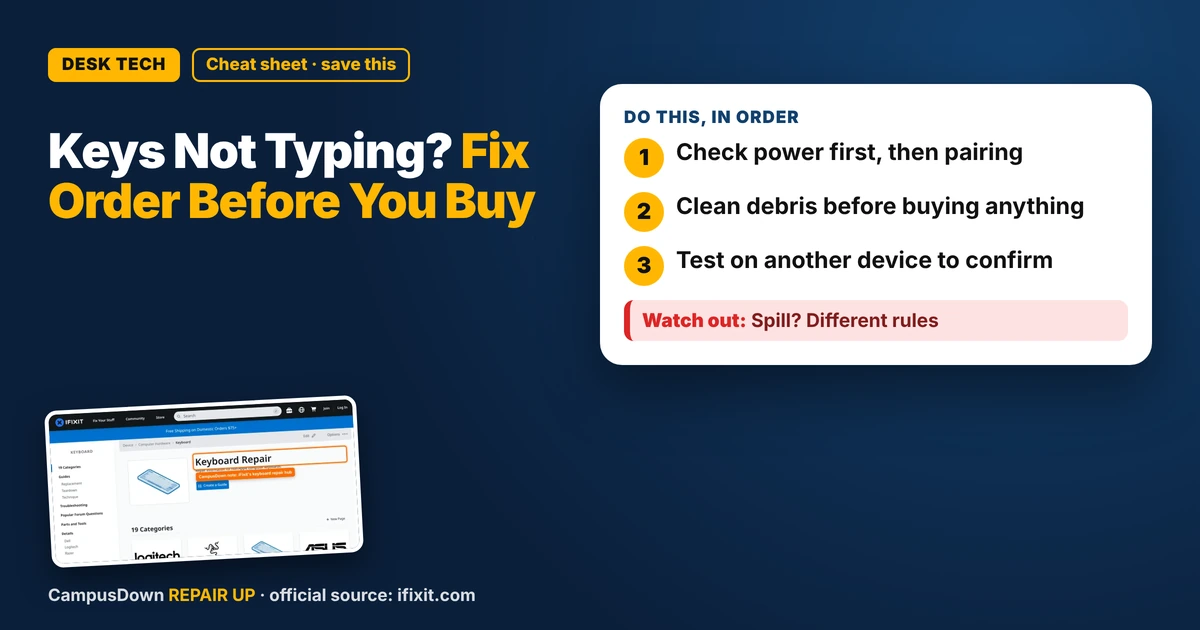
- Check power first, then pairing.
- Clean debris before buying anything.
- Test on another device to confirm.
It's 1 a.m., your essay is due at 9, and the E key just stopped existing. If your wireless keyboard has some keys not typing, don't rage-order a new one yet. This fix order costs basically nothing.
Start with power, always
Wireless keyboards get weird when batteries are low. Some keys drop, some lag, some double. Swap in fresh batteries or charge it fully before you touch anything else. It sounds too simple, but low power is one of the most common causes, and checking it first takes a minute.
Re-pair or re-plug the receiver
If it uses a USB receiver, unplug it and plug it into a different port, ideally one not hidden behind a metal case or a USB hub. If it's Bluetooth, remove the device from your computer's Bluetooth list and pair it again. Also move your phone and speaker away for a test. Crowded dorm Wi-Fi and a pile of gadgets on one desk can make signals flaky.
The iFixit keyboard hub collects repair guides and answers for lots of keyboard models, so search your exact model there before opening anything.
Crumbs are the silent villain
If only a few keys fail, debris under them is a strong suspect. Turn the keyboard off, flip it upside down, and tap it gently. A can of compressed air at an angle helps. On many keyboards keycaps pop off, but some clips break easily, so check a guide for your model first.
Test before you blame the keyboard
Open a plain notes app and press every key. Then try the keyboard on another computer, or try your laptop's built-in keys. If the keys work elsewhere, it's a settings or driver thing, not hardware. That five-minute test beats confirmation bias, where you already decided it's dead and only see proof of that.
It's also easy to keep using a half-broken keyboard for weeks because you'll "fix it later." That's procrastination wearing a hoodie. Ten minutes now saves a lot of retyping.
When to replace it
If fresh power, re-pairing, cleaning, and a second computer all fail on the same keys, the internal parts may be done. Before buying, think about opportunity cost: a basic wired keyboard is often the cheapest reliable fix, and it never needs batteries.
Know someone staring at a repair right now? Send this their way.
Pick an app — it just sends the link, nothing else.
Frequently Asked Questions
Why are only some keys not working on my wireless keyboard?
Low batteries, signal issues, or debris under the keys are common causes.
How do I clean under keyboard keys?
Turn it off, tip it upside down, tap gently, and use compressed air at an angle.
Should I re-pair my Bluetooth keyboard?
Yes, removing it and pairing again can clear connection glitches.
How do I know if the keyboard is really broken?
Test it on another computer. If the same keys fail everywhere, the hardware may be done.