My Xbox Series X Keeps Shutting Off Mid-Game and I'm Losing My Mind
Xbox Series X turns off randomly while playing? Check ventilation and dust, the power cable and outlet, power settings, and updates, then contact Xbox Support.
“Almost cried fixing my own house. Learned to read every quote instead.”
Theology · Scripture Cards
Open a scripture card
Already read and shared by 315 people.
 Unto Us a Child Is Born
Isaiah 9:6
For a child is born to us. A son is given to us; and the government will be on his shoulders. His name will be called Wonderful Counselor…
Read this card
 The Kingdom Belongs to Such as These
Mark 10:14, 16
But when Jesus saw it, he was moved with indignation and said to them, “Allow the little children to come to me! Don’t forbid them, for…
Read this card
 God So Loved the World
John 3:16
For God so loved the world, that he gave his only born Son, that whoever believes in him should not perish, but have eternal life.
Read this card
 Look and Live
Numbers 21:8-9
Yahweh said to Moses, “Make a venomous snake, and set it on a pole. It shall happen that everyone who is bitten, when he sees it, shall…
Read this card
 Your Faith Has Made You Well
Mark 10:52
Jesus said to him, “Go your way. Your faith has made you well.” Immediately he received his sight and followed Jesus on the way.
Read this card
 In the Name of the Lord
1 Samuel 17:45, 47
Then David said to the Philistine, “You come to me with a sword, with a spear, and with a javelin; but I come to you in the name of Yahweh…
Read this card
 Wings like Eagles
Isaiah 40:31
but those who wait for Yahweh will renew their strength. They will mount up with wings like eagles. They will run, and not be weary. They…
Read this card
 While He Was Still a Long Way Off
Luke 15:20, 22
“He arose and came to his father. But while he was still far off, his father saw him and was moved with compassion, and ran, fell on his…
Read this card
Key Takeaways
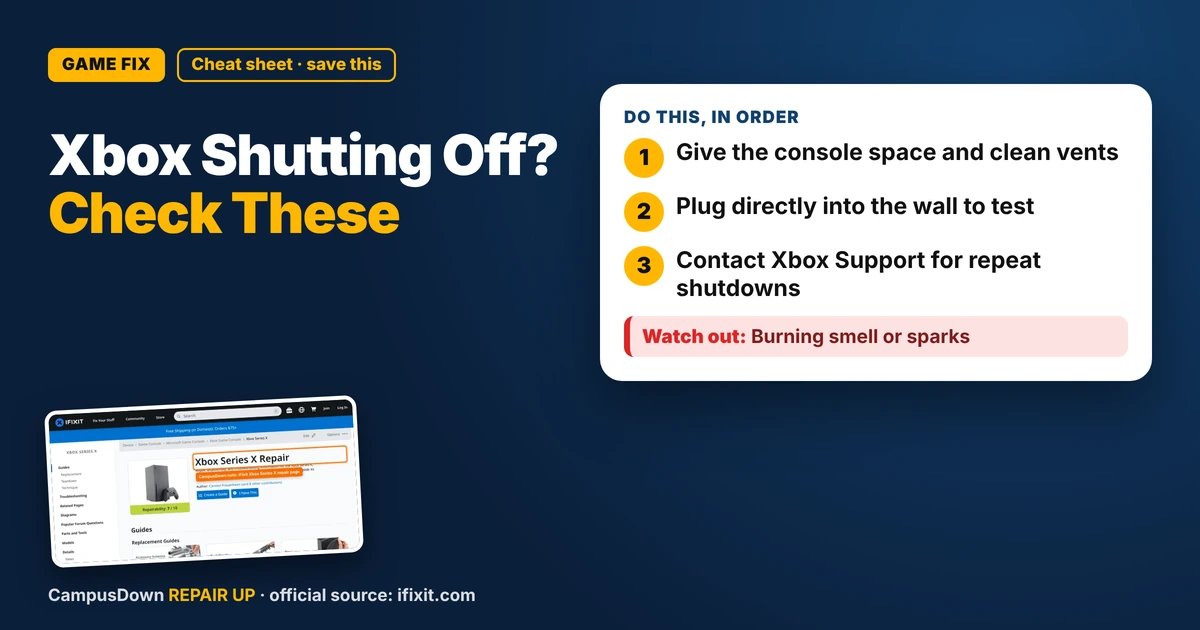
- Give the console space and clean vents.
- Plug directly into the wall to test.
- Contact Xbox Support for repeat shutdowns.
You're deep in a match, finally doing well, and the screen goes black. The console just turns off. No warning. If your Xbox Series X turns off randomly while playing, it's frustrating, but there are common causes that are easy to check before you think about repairs.
Check ventilation first
Consoles need airflow. If it can't breathe, it can shut down to protect itself.
- Keep it out of closed cabinets or tight shelves.
- Leave space around the vents, especially the top.
- Don't put anything on top of it.
- Keep it away from heaters and direct sun.
Clean the dust
Dust can block vents and cut airflow.
- Turn it off completely and unplug it.
- Use a soft brush or gentle compressed air on the outside vents.
- Don't open the console unless you know what you're doing and understand warranty impacts.
Check power
- Plug directly into the wall* instead of a crowded power strip to test.
- Check the power cable.* Push it in firmly on both ends. Look for damage.
- Try another outlet.*
Check settings and updates
- Power settings:* Check if the console is set to turn off after a period of inactivity. That's normal behavior, not a bug.
- Updates:* Make sure the console and games are updated.
- Restart fully:* Hold the power button on the console for about ten seconds to shut down fully, unplug it for a bit, then plug it back in.
iFixit's Xbox Series X page has guides for parts and repairs, but for a newer console, checking warranty with Xbox Support first is often smarter.
Why we ignore the warning signs
Thinking "it's a fluke" each time is normalcy bias. Assuming dust can't be the issue is optimism bias. And keeping it in the same cramped cabinet because that's where it's always been is status quo bias.
When to contact Xbox Support
If it still shuts off after checking airflow, dust, power, and updates, contact Xbox Support. Keep notes on when it happens, like during specific games or after a certain amount of time. That info helps.
Keep your console happy
- Give it open space.
- Clean the vents regularly.
- Turn it off fully during storms if you're worried about power surges.
- Use a decent surge protector.
If this saved you a headache, it might save a friend one too.
Pick an app — it just sends the link, nothing else.
Frequently Asked Questions
Why does my Xbox Series X turn off randomly?
Common causes include poor ventilation, dust, power problems, or inactivity settings.
Can overheating make an Xbox shut off?
Yes, consoles can shut down to protect themselves if they get too hot.
Should I open my Xbox to clean it?
Clean the outside vents first. Opening it can affect warranty.
When should I contact Xbox Support?
If shutdowns continue after checking airflow, dust, power, and updates.